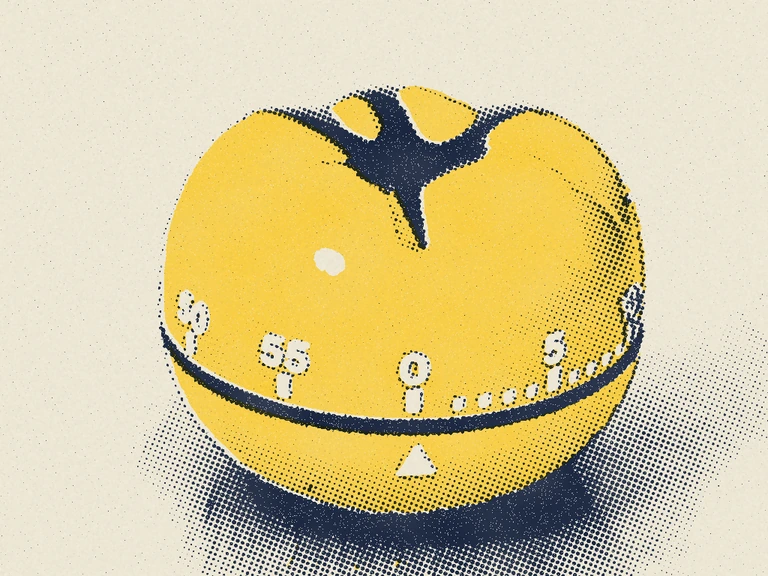
Notion doesn't have a timer of its own, so most dashboards borrow one from a widget site. Plenty of those want an account, cap how many widgets you can keep on the free plan, or put the nicer looks behind a monthly fee. These two are free and you never sign up, because every setting you choose above is written into the link itself. Nothing about your widget is stored on our side, so there's no account to lose and no plan to run out of.
How to add a widget to Notion
- Set the widget up in the box above and press Copy link.
- In Notion, click where you want it and type /embed, then pick Embed.
- Paste the link and press Embed link.
- Drag the corner of the box until the whole widget shows. For the timer, about 400 by 250 pixels is plenty; the countdown is happy at 400 by 180.
To change a setting later, come back here, set it again and swap the link: click the embed, open its menu and choose Replace, or delete the block and paste the new one. Notion's own help page on embeds covers resizing and the mobile apps.
The Pomodoro timer widget
It runs the usual cycle: a focus round, a short break, and a long break after every fourth round, with a dot for each round you finish and a soft two-note chime when a round ends. The defaults are 25, 5 and 15 minutes. Change them to 50/10 or anything up to 180 minutes, or tick the box to have the next round start without you. The time is kept from the clock, not by counting seconds, so it stays right if you switch tabs.
If you want to know which length to use, our full Pomodoro timer page compares 25/5 and 50/10, and the Pomodoro technique guide covers why it works for some people and stops working for others.
Brown or pink noise inside the timer
Pick brown or pink noise above and the timer gets a noise button. The noise starts with each focus round, fades out when the break starts, and comes back for the next round, so the sound tells you which part of the cycle you're in without looking. It's made live in your browser, so it never loops or cuts out. Brown noise is the deep, rumbly one; pink is lighter, closer to steady rain. Our brown noise guide goes through what the research does and doesn't say about noise and focus, and the brown noise generator has a volume slider if you want a separate player.
The countdown widget
Give it a date, and an optional time, and it counts down in days, hours, minutes and seconds, or in days only if seconds ticking by would stress you out. Once the date passes it keeps counting up, so it doubles as a "days since" tracker. Common uses are finals, a deadline, a trip, a birthday or New Year. With no date it counts to the next January 1. Students counting down to the holidays may also like the winter break countdown, which counts school days instead of calendar days.
The flip clock widget
Want the time itself on your dashboard? The flip clock page has a Notion link too: pick 12 or 24 hour, seconds on or off and dark or light, press Copy Notion link, then /embed it like the others.
Counting down to January? The New Year countdown page has a ready-made Notion link for the countdown widget, set to midnight on January 1.
Why these widgets won't go blank on you
If a clock or timer on your dashboard turned into an empty box last winter, that was probably WidgetBox. The service shut down on December 24, 2025, and every widget it hosted stopped loading at once, including the ones built into paid planner templates. Its founder later said it had grown past a million users while almost nobody paid, and the server bills kept climbing.
We built ours so that can't happen in the same way. Each widget is one static page and one small script, with your settings in the link, so there are no accounts, no database and no per-user cost to keep up. There's no paid plan to switch off for free users. And once a widget link is out there, we don't change what it does: improvements go to new links, and old ones keep working.
Free Notion templates with the widgets already in
Rather duplicate than build? Two free templates come with the widgets set up. Open one, press Duplicate in the top right, and it lands in your workspace.
- Focus dashboard with a Pomodoro timer and brown noise: the timer, a deadline countdown and a Today, Next, Done task board.
- Finals countdown and study plan: a countdown to your first exam, a 50 minute study block timer with pink noise, and a list for your exams.
For Notion template makers
You're welcome to put either widget in a free or paid template. Set it up here, paste the link into your template, and every copy of the template gets a working widget with no setup for your buyers. Leave the theme on Auto so it looks right in light and dark mode. The small credit link stays in the corner, and that's all we ask in return.
FAQ
Are these Notion widgets free?
Yes, and there is no paid version. You don't make an account, and nothing is locked behind a plan. The only extra is a small HourMaxxing link in the corner of each widget.
Will the widget follow Notion dark mode?
The background is see-through, so it always matches your page. With the theme on Auto, the text follows your device setting, which is what Notion does too. If you run Notion dark on a light device, pick Dark instead.
Why is there no sound when the timer ends?
Browsers only allow sound after you press something inside the widget. Pressing Start counts, so the chime and the noise work once you've started the timer yourself. If it's still quiet, check that the Notion tab or app isn't muted.
Does it work in the Notion phone app?
Yes. Notion shows embeds in its apps, and the widget has a smaller layout for short boxes. On a phone you can't drag the box to resize it, so set the size on a computer first.
Does the widget track me?
No cookies and no account. When a widget loads it sends one anonymous count with the name of the site it's on (usually notion.so), so we know people use it. Your settings stay in your link and never reach us as data.
Can I use it outside Notion?
Yes. Anything that takes an embed link or an iframe works, including Google Sites, Coda, Obsidian notes with an iframe and most site builders.
Can I put it in a template I sell?
Yes. Use it in free or paid templates, change any setting, and you don't need to ask. Please leave the small credit link in place.
Sources
- UsefulPlanner (Jan 7, 2026). Important update about widgets in our Notion planners. A planner shop telling buyers that WidgetBox shut down on December 24 and its widgets stopped working.
- WidgetBox founder, comment in r/Notion (Jan 29, 2026). Alternative to WidgetBox?. Says the service passed a million users with almost no one paying, and rising infrastructure costs for embeds led to the shutdown.
More free tools: the Pomodoro timer, the study timer, the visual timer, the brown noise generator and the timers to embed on a class page.