It's 9pm, the essay is due at noon, and you've decided that what you really need first is a timer. So you search for one. The first result wants an account. The second plays a video ad, then asks you to turn on notifications. By the time a clock is actually counting, it's 9:20 and the essay hasn't moved.
They're plain on purpose. Each one does a single job, works on a school laptop or a phone, and doesn't remember you afterwards. If you're not sure which one you need, the table below is the short version, and which one first at the bottom is the slightly longer one.
| If your problem is | Try | Takes |
|---|---|---|
| You can't make yourself start | Pomodoro timer | 25 minutes |
| Time slips away without you noticing | Visual timer | However long you set |
| A class that keeps asking how long is left | Classroom timer | 30 seconds to an hour |
| The room is too loud, or too quiet | Brown noise generator | A focus round, or a night |
| People talking nearby keep pulling you in | White noise generator | As long as the chatter lasts |
| A big assignment is due and you haven't started | Assignment calculator | About a minute |
| Everything takes longer than you planned | Time blindness test | Five minutes |
| Your phone eats more of the day than you'd like | Screen time calculator | Thirty seconds |
Can't make yourself start?
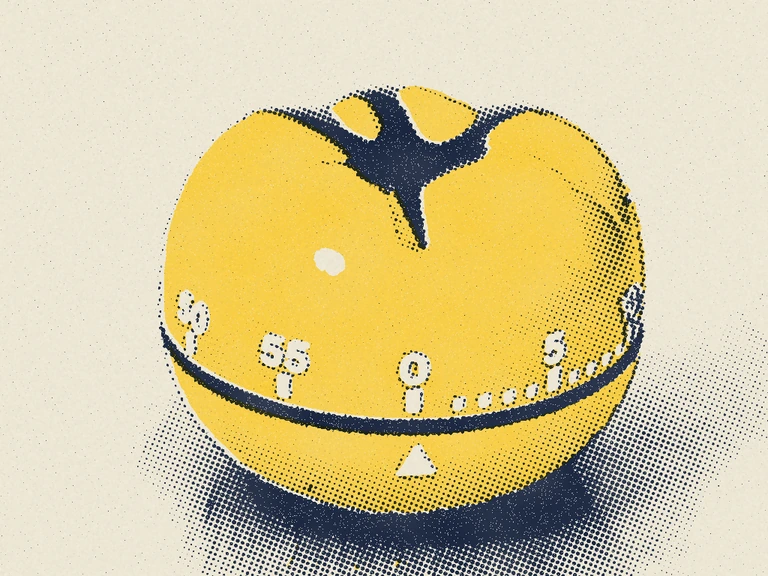
The Pomodoro timer is the one we'd open first. You pick 25 minutes of work and 5 of rest (or 50 and 10 for heavier stuff), press start, and do only that one thing until it chimes. After the fourth round you get a longer break. It keeps counting if you switch tabs, which matters, because the essay is in another tab. Under the timer there's a thirty-second setup: shrink the task to one round, write the first physical step, and put the phone in another room. Our Pomodoro technique guide covers why it works for some people and not others. For a long exam prep day, the study timer adds a 90/20 setting that stops you after two rounds.
Lose track of time?
The visual timer is a yellow disc that shrinks as the minutes go. Put it full screen on a classroom projector or a spare monitor; the back row can read it. Untick the numbers if you want people watching the shape. It helps most for people who can read "12:47 left" perfectly well and still have no feel for whether that's a lot, which is the whole idea behind time blindness.
Teaching a room rather than working alone? The classroom timer runs the same disc with a label the back row can read ("Clean up", "Quiet work"), a big-numbers mode for older students and a one-minute warning, plus the transition game from two small classroom studies.
Is the room too loud?
The brown noise generator makes the sound live in your browser instead of playing a recording, so there's no loop to start noticing after ten minutes. Or after forty. You'd be surprised. You can switch to pink or white noise and set it to fade out after a focus round or once you're asleep. Our brown noise and ADHD guide covers what the studies actually found.
If the problem is people talking, open the white noise generator instead. White covers voices and keyboards better than brown does, though it's harsher, so it suits an open office or a busy library more than a quiet bedroom.
Big assignment, no plan?
Pick a research paper, essay, lab report or presentation, then a start date and a due date. The assignment calculator splits the work into steps with their own finish-by dates and plans to finish a day or two early. You can print the plan or drop it into your calendar. It pairs well with studying with ADHD if deadlines tend to arrive all at once.
Does everything take longer than you thought?
The time blindness test uses real seconds rather than a quiz. You stop a hidden timer at 15, 30 or 60 seconds, three times, then guess how long a real task will take and time it. You end up with one number: how much longer things take than you think. It isn't a diagnosis, though, and it doesn't pretend to be one.
How much of your day is the phone?
Type your daily screen time and your age into the screen time calculator and it shows the hours per year, plus the years of your life that adds up to. It's a slightly rude number. Four hours a day from age 18 to 80 comes to just over 90,000 hours. If it bothers you, make your phone boring is the 15-minute fix we'd start with.
Do any of these actually help?
Some, a little, for some people. We'd rather say that than promise focus in a box. Two examples from the guides behind these tools:
- Fixed breaks seem to beat "I'll stop when I feel like it." In a study of 87 Dutch university students, the ones on a set schedule (24 minutes on and 6 off, or 12 and 3) felt less tired and distracted than students who picked their own breaks, and got the same amount done (Biwer and colleagues, 2023). A later study of 94 students found the groups about even.
- Nobody has tested brown noise for ADHD directly. A 2024 meta-analysis of white and pink noise found a small attention boost for young people with ADHD (an effect size of about 0.25 across 13 studies) and a slight cost for those without it (Nigg and colleagues, 2024).
So treat each tool as a one-week experiment. Pick one, use it on one kind of task, and keep a tally; if nothing changes, close the tab and try something else.
What we left out on purpose
No accounts. No streaks or badges either (missing a day shouldn't feel like failing a class). No saving your inputs on our server; the assignment plan and your test results live in the tab until you close it. And no "premium" version waiting behind a button, since there's nothing to sell.
The trade-off is that nothing syncs between devices. If you want a record, copy it somewhere you already keep notes.
Which free study tool first?
Something due and not started? The assignment calculator turns one scary date into small ones. Know what to do but can't sit down and do it? The Pomodoro timer, because you only agree to 25 minutes. If whole hours vanish and you can't say where, take the time blindness test once, then leave the visual timer open while you work.
Opening all nine at once is allowed. It's also a very thorough way to not start anything.
Using them in a class, library guide or coaching session
Go ahead, they're free. Teachers can put the classroom timer on a projector, and librarians and tutors are welcome to link any of them from a study skills or ADHD resource page. If you only link one page, link this one, since it's the page we update when a new tool ships. People who'd rather have paper can use the free printables the same way, including a habit tracker you fill in and print and a weekly planner printable with a Monday or Sunday start.
We're not clinicians, and none of this is medical advice.
FAQ
Are these tools really free?
Yes. There are no ads, no accounts and no paid tier. HourMaxxing is a small independent site with nothing to sell, and the tools are free for anyone to use or link.
Do they work on a phone or a school Chromebook?
They run in any modern browser, so a phone, tablet, Chromebook or library computer is fine. Nothing needs installing, which also means nothing needs an IT ticket.
Can I link to them from a school or library website?
Please do. Link this page if you want one link that stays current, or link a single tool directly. No permission or attribution request needed.
Sources
- Biwer, F., Wiradhany, W., oude Egbrink, M. G. A., and de Bruin, A. B. H. (2023). Understanding effort regulation: Comparing 'Pomodoro' breaks and self-regulated breaks. British Journal of Educational Psychology, 93(S2), 353-367.
- Nigg, J. T., Bruton, A., Kozlowski, M. B., Johnstone, J. M., and Karalunas, S. L. (2024). Systematic review and meta-analysis: Do white noise or pink noise help with task performance in youth with attention-deficit/hyperactivity disorder or with elevated attention problems? Journal of the American Academy of Child and Adolescent Psychiatry, 63(8), 778-788.