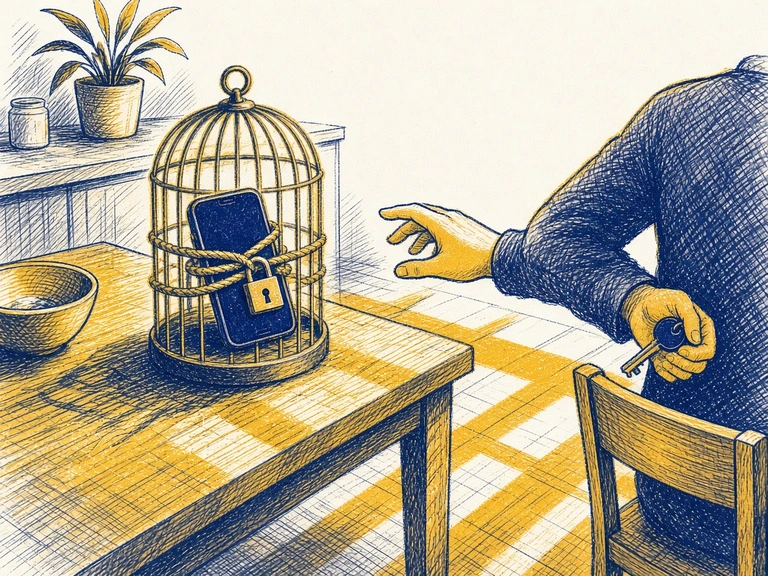
Short answer: to make your phone boring, change its defaults instead of relying on willpower. Turn off app notifications but keep messages from people, add a pause before your worst app opens, move the feed apps off the home screen, and go grayscale at night. All four take about 15 minutes and break the automatic reach.
Willpower vs. a billion-dollar engagement team is not a fair fight. The apps on your phone were tuned by thousands of A/B tests to get one more open out of you. You are one person who is tired.
So stop trying to win with discipline. Change the defaults, add friction to the stuff that eats your hours, and remove friction from the stuff you actually want to do. In other words: make your phone boring on purpose. This guide walks through the settings that make the biggest difference, roughly in order of effort-to-payoff.
Why friction beats willpower
Most phone use isn’t a decision. It’s a loop: a cue (boredom, a buzz, an awkward elevator moment), an automatic reach, and a reward (something new). Habit researchers call this context-dependent behavior, and the useful part is that tiny amounts of friction interrupt it. You don’t need to never open TikTok. You need the open to stop being automatic, so that a conscious you gets a vote.
There’s decent evidence for this approach:
- A pause works. A 2023 study in PNAS tested the self-nudge app one sec, which makes you wait through a short breathing prompt before a chosen app opens. Over six weeks, people opened their target apps far less often, and in a lot of cases they chose to close the app after the pause instead of continuing.
- Fewer notifications, less scatter. Experiments that switched people’s notifications off or batched them (delivered a few times a day instead of instantly) found people reported less inattention and better well-being. Batching seemed to be the sweet spot, because turning everything off made some people anxious about missing things.
- Grayscale makes the feed less tasty. Two studies that logged real screen time found grayscale cut daily phone use by roughly 20 to 40 minutes. The effect is modest, but it costs nothing (details below).
None of these are magic. Stacked together, they add up.
Is phone addiction real? (phone addiction vs social media addiction)
As a feeling, obviously. As a diagnosis, not yet. The DSM-5-TR lists exactly one behavioral addiction, gambling disorder. Internet gaming disorder sits in its “needs more research” section, and the American Psychiatric Association says that proposal doesn’t cover general internet use, social media or smartphones (American Psychiatric Association, 2023). The WHO’s ICD-11 added gaming disorder too, and it has no phone or social media diagnosis either.
A 2018 review titled “Is smartphone addiction really an addiction?” found plenty of excessive use and trouble stopping, but not the severe harm that defines an addiction, so the authors prefer “problematic use” (Panova and Carbonell, 2018). That’s also the honest answer to “is it like drugs?” It can look similar from outside, and the damage is a lot smaller.
Others say the phone is too vague a suspect, and what matters is what you overuse on it, down to the app (Montag and colleagues, 2021). In a survey of 23,533 adults, addictive social media use and addictive gaming were only weakly linked, which argues against one big “internet addiction” (Andreassen and colleagues, 2016).
So for a lot of people, “phone addiction” is really one or two apps. A quick way to sort it (our suggestion, not a study): open your screen time report and look at the top three. If one feed is most of the total, it’s an app problem, so aim at that app with a speed bump or grayscale.
If the time is spread thin across constant pickups, it’s the reach itself. Start with people-only notifications and a boring home screen.
Whatever you call it, it’s worth taking to a doctor or therapist if you’ve tried to cut back and can’t, and it’s costing you sleep, grades, work or people. They’ll care more about that pattern than about the label.
Why do I check my phone so much? (and why does it buzz when it didn’t?)
You pick it up, glance at the lock screen, put it down. Nothing new. A couple of minutes later you do it again.
Most of the time the phone didn’t ask. Heitmayer and Lahlou (2021) had 37 people wear first-person cameras: about 200 hours of footage, 1,130 phone interactions.
89% of the pickups were started by the person. Only 11% came from a notification they actually noticed.
About one interaction in six was a five-second lock screen check, and people reached for the phone roughly every five minutes, at home or at work, alone or with others. One woman plated a dinner she’d cooked for an hour, picked up her phone, and was still on it fifteen minutes later with the food going cold. Others said the reach came when the thing in front of them got dull: boring work, cleaning, a commute.
Oulasvirta and colleagues (2012) called this a checking habit: a quick, repeated look at something that might have changed, grown out of tiny rewards that are very fast to get. Their participants found it more annoying than addictive.
So people-only notifications fix the 11%. The other 89% is the reach itself, and what helps there (our suggestions, built on those findings) is making each check cost more and pay less:
- Make the five-second check come up empty. Hide lock screen previews. iPhone: Settings → Notifications → Show Previews → When Unlocked. Most Android phones: Settings → Notifications → “Notifications on lock screen”.
- Put the phone a stand-up away during the dull stretches, since those are when the hand drifts. Out of sight while you work covers the setup.
- Give the boring task something else to hold. A podcast already playing while you cook or clean takes the job the phone was about to do.
None of these studies looked at ADHD specifically, so we can’t tell you whether the habit runs stronger with it.
The buzz that wasn’t there. Feeling your pocket vibrate when nothing came in is called phantom vibration syndrome, and it’s common: 68% of 169 hospital staff had felt one (Rothberg and colleagues, 2010), and 89% of 290 undergraduates, most of whom (91%) were barely bothered by it (Drouin, Kaiser and Miller, 2012). If it bugs you, the hospital survey found turning vibrate off worked for 75% of people who tried it, and moving the device to a different pocket worked for 63%.
Tier 1: the 15-minute nerf (do these today)
1. Notifications: people only, never apps
Your rule: a notification is allowed to interrupt you only if a human being wrote it to you. Messages from friends and family, calls, your calendar, maybe your bank’s fraud alerts. Everything else gets turned off or delivered in a summary.
- iPhone: Settings → Notifications. Go app by app. For anything that isn’t a person, turn off “Allow Notifications” or switch it to Scheduled Summary so it arrives in a batch once or twice a day.
- Android: Settings → Notifications → App notifications. Toggle off the noise. Long-press any notification that annoys you to silence that app on the spot.
Social apps will try to sneak back in with “someone you may know posted for the first time in a while.” Turn those categories off inside each app’s own settings too.
2. Put a speed bump in front of your worst app
Pick the one or two apps you open on autopilot most. (Not sure? Check your screen time report, then the screen time calculator.)
- App limits: iPhone Screen Time → App Limits, or Android Digital Wellbeing → app timers. Set a daily cap. When it hits, you have to actively choose to ignore it, which is the point.
- A real pause: Apps like one sec, or a Shortcuts automation on iPhone that runs when a chosen app opens, put a few seconds of breathing room between the reach and the feed. This is the version with the strongest evidence behind it.
- Log out: Low-tech and brutal. If getting into an app requires your password, you will open it a lot less. Use a password manager so it’s annoying but not impossible.
3. Make the home screen boring
Your home screen is prime real estate, and right now it’s probably rented out to the apps that farm you.
- Move social media, games, shopping, and news off the home screen into a folder on the last page, or remove them from the home screen entirely and use search to open them. Typing the name is a tiny moment of intent.
- Put tools on the home screen instead: calendar, notes, maps, camera, your to-do app, a reading app, a meditation or timer app.
- Bonus round: a plain dark wallpaper. Visual calm helps more than you’d think.
4. Grayscale after 9pm
Color is a big part of what makes thumbnails and red notification badges pop. Taking it away makes everything feel a little like reading a tax form, which is exactly the vibe you want at 11:47pm.
- iPhone: Settings → Accessibility → Display & Text Size → Color Filters → Grayscale. Then set Accessibility Shortcut (bottom of the Accessibility menu) to Color Filters so a triple-click of the side button toggles it.
- Android: In Digital Wellbeing, Bedtime mode can turn the screen grayscale on a schedule. On many phones you’ll find it under Bedtime mode’s screen options.
Schedule it with your wind-down time instead of toggling manually, so future you doesn’t have to negotiate. Wondering if it actually works, or if it helps sleep? Here is what the studies found.
Tier 2: environment upgrades
Charge your phone outside the bedroom
The single highest-impact change for a lot of people, and the one everyone resists. Buy a $10 alarm clock. The phone sleeps in the kitchen. Your 2am “just checking one thing” spiral needs the phone to be within arm’s reach, so don’t let it be.
Use Focus modes or Modes for context
Both iPhone (Focus) and Android (Modes or Focus mode, depending on the phone) let you define contexts like Work, Sleep, and Personal with different allowed apps and people. Set one up for deep work that hides social apps and silences everyone except a short VIP list. Then attach it to a schedule or a location so it turns on by itself.
Keep the phone out of sight while you work
Studies on whether a phone merely sitting nearby drains attention have been mixed, and some follow-ups failed to replicate the original effect. A face-up phone on your desk still invites the pull, so put it in a drawer or another room during focus blocks. Body doubling pairs nicely with this. If the phone is the study material, skip to when you need your phone to study or work.
Tier 3: replace, don’t just remove
Here’s the part most screen time advice skips. If you delete the scroll and leave a hole, you’ll fill the hole with a different scroll. The same goes for a dopamine detox: in a 2025 trial that blocked mobile internet for two weeks, screen time crept most of the way back within two weeks of the block ending. Decide in advance what goes in the gap (there’s a longer menu, sorted by mood, in what to do instead of doomscrolling):
- Waiting in line: a reading app, a podcast, or literally just looking around.
- Bored at your desk: a brain dump and 2-minute triage to turn the restless feeling into one small next action.
- Doom o’clock (10pm to midnight): a physical book, a shower, stretching, or prepping tomorrow’s plan. Already stuck in the feed? Here’s how to get out. A loose time-blocking plan for the next day makes going to bed feel less like losing the day.
How to do a phone detox (or “dopamine detox” your phone)
You don’t have to throw the phone in a lake. The phone detoxes with the best trial data were small and specific: one app switched off, a daily cap, or one kind of internet blocked, for a few weeks. “Dopamine detox” is mostly branding, since you’re not draining a chemical (what a dopamine detox actually is). Here’s the short version we’d run:
- Pick one target, not the whole phone. US adults paid to deactivate Facebook for four weeks spent more time offline, reported a modest rise in well-being, and kept using Facebook less afterward (Allcott and colleagues, 2020). One app off is also a clean test of whether that app was the problem.
- Or cap it instead of quitting. 143 undergraduates who limited Facebook, Instagram and Snapchat to 10 minutes each a day for three weeks reported less loneliness and depression than students who used them as usual (Hunt and colleagues, 2018). An App Limit (iPhone) or app timer (Android) does the counting.
- Let a blocker enforce it. In a 2025 trial that blocked mobile internet for two weeks, only about a quarter of the 467 people who signed up kept the block on as planned (Castelo and colleagues, 2025). Put the rule in the phone, with the Screen Time passcode held by someone else if you tend to “just this once” it.
- Plan the day it ends. In that trial, screen time crept back after the block lifted. Leave the 15-minute nerf on afterward, so you come back to a boring phone.
- Fill the gap before you start. Write down three things that go in the empty minutes (a dopamine menu is exactly this, sorted by how much energy you have).
With ADHD, go smaller than feels impressive: one app, one evening window, a blocker doing the enforcing. In the 2025 trial, people with more ADHD symptoms were no less likely to keep the block on.
How to stop doomscrolling (especially at night)
It’s 11:52pm and your thumb has been doing the same small flick for forty minutes. Everything above this section is setup you do once, in daylight. This part is for when you’re already in the feed.
Doomscrolling began in 2020 as the word for compulsively reading bad news and now covers any scroll that won’t end. The shared problem: the feed has no bottom. A magazine runs out of pages, but infinite scroll took the stopping points away, so the stop has to come from you.
In a 2023 field study of 46 people’s social media use, most reasons they gave for finally leaving came from their surroundings, not the app (Rixen and colleagues). So plant an exit outside the feed:
- Pick the stop before you open the app. “Until the kettle clicks.” “Three videos, then the dishes.” Across 94 tests, plans shaped like “when X happens, I’ll do Y” helped people follow through, with a medium-to-large effect (Gollwitzer & Sheeran, 2006). Better still if the stop makes a noise: an app limit, or a kitchen timer across the room.
- Get up. Lying down in a dim room is part of the cue. Sit up, turn on the big light, or carry the phone to the kitchen counter. Habits are tied to their context (the loop from the top of this guide).
- Turn off autoplay and go in through search. In a survey of 120 YouTube users, autoplay and recommendations most undermined people’s sense of control, while search and playlists helped (Lukoff and colleagues, 2021). Flip autoplay off wherever there’s a switch and open apps to a search instead of the home feed. Short-video feeds have no switch, which is why they get the pause.
- If it’s news, give it an ending. Just 2 to 4 minutes of COVID news on Twitter or YouTube lowered people’s positive mood right away compared with no news, while stories of kind acts didn’t (Buchanan and colleagues, 2021). Get the news from something with a last page, like a daily newsletter, at a set time.
Closed the app and now there’s a weird hole in the evening? That’s what the replacements below are for.
How to stop doomscrolling at night (before bed)
A lot of night scrolling happens after you’ve technically gone to bed. Among 338 adults aged 18 to 25, the average gap between getting into bed and trying to sleep was 39 minutes, and people whose gap ran past an hour were 9.3 times more likely to be poor sleepers (Exelmans & Van den Bulck, 2017). A survey can’t prove the phone caused it, but it tells you where to aim: the bed.
- Phone sleeps in another room. Charging it outside the bedroom does most of the work, because a phone on the kitchen counter can’t be scrolled from under the duvet.
- Let the phone start closing first. Schedule Downtime (iPhone) or Bedtime mode (Android) for 30 minutes before you want to be asleep, so the feeds shut before you’re horizontal.
- Figure out what the scroll is for. If tomorrow keeps replaying in your head, do a five-minute brain dump first. If it’s because the day never felt like yours, that’s revenge bedtime procrastination, and it has its own fixes.
How to stop doomscrolling first thing in the morning
The alarm goes off, you thumb it quiet, and the phone is already in your hand. Twenty minutes later you’re still lying down. The morning scroll runs on a different engine from the 11:52pm one.
You aren’t fully awake yet. The groggy stretch after waking is sleep inertia, and full recovery takes at least an hour (Hilditch & McHill, 2019). For that hour you’re on habit autopilot, and if your phone is your alarm, autopilot grabs the device with every feed on it.
Is it bad to check your phone first thing in the morning? Claims that it spikes cortisol or scrambles brain waves didn’t turn up in our October 2026 PubMed search. What you read is the better-supported worry: people who watched 14 minutes of negative TV news came out more anxious and sadder (Johnston & Davey, 1997).
The arrow may also point the other way. In a 90-day study of 40 teenagers’ logged phone use, mornings they felt worse than usual led to more passive scrolling that day, not the reverse (Chen and colleagues, 2026).
- Buy the $10 alarm clock. Same advice as charging the phone outside the bedroom, and in the morning it does most of the work: if the phone didn’t wake you, it isn’t the first thing you hold.
- Keep the feeds locked until you’re up. Set Downtime (iPhone) or Bedtime mode (Android) to end 30 to 60 minutes after your alarm, so the first unlock of the day hits a wall instead of the full buffet.
- Name the first move the night before. “Feet on the floor, kettle on, phone after the kettle clicks.” The alarm-to-upright tricks in the lateness guide are built for exactly this groggy window.
- Move the news check later. If the first scroll is headlines, give them a fixed slot after you’re dressed, from something with a last page.
None of this needs a 5am routine. The phone just has to come second. The ADHD morning routine checklist puts the whole morning on rails, with a free printable.
What to do instead of doomscrolling
You close TikTok, drop the phone on the couch, and forty seconds later it’s back in your hand, open to Instagram. The gap the app leaves is where you slide back in.
“Just sit with the boredom” is bad advice for that gap. Across 11 studies, most college students didn’t enjoy 6 to 15 minutes alone with nothing to do but think, and in one, many chose to give themselves a mild electric shock rather than sit idle (Wilson and colleagues, 2014). So give the feed competition before you need it, matched to what the scroll was doing for you:
- When you’re bored: get input that has an ending. A podcast episode on a walk, a crossword, the paperback that lives on the arm of the couch. Keep it where you usually scroll, or the phone wins on distance.
- When you’re tired: lie down for ten minutes with the phone across the room, take a shower, or put on one episode of a comfort show with autoplay off.
- At work: take the break somewhere the phone isn’t. In an experiment with 414 students, a short break on a phone left them no better off than no break, while the same break on paper or a computer helped (Kang & Kurtzberg, 2019). Refill your water or walk to the far bathroom.
- Before bed: something dull that doesn’t glow, like a paper book you’ve already read, or a five-minute brain dump. The phone still charges in the kitchen.
- If you have ADHD, write the list in daylight. The stop signal inside your head is the shakiest part of the loop (the engagement trap). Put four or five options on a sticky note on the phone case or your lock screen. That list is a small dopamine menu, and there’s a printable dopamine menu.
Working in timed rounds? Here’s what to do on a Pomodoro break so the five minutes stays five.
Why do I doomscroll, and why is it so hard to stop?
Because three things stack up at once, and none of them is a personal failing.
Bad news grabs harder. Across about 105,000 headline tests on Upworthy, each extra negative word raised click rate by about 2.3% (Robertson and colleagues, 2023). A feed full of threats always has one more.
Nothing tells you to stop. The feed has no bottom, and leaving takes a decision you don’t have left at 11:52pm.
You’re tired, so autopilot drives. Across five studies, people whose self-control was worn down leaned harder on whatever habits they already had (Neal, Wood & Drolet, 2013). The willpower-tank idea has had trouble replicating, so take the narrow point: tired people run on habit, and at night “phone in bed” is the strongest one.
That’s why every fix above goes after the feed or the room.
One kind of scrolling fits none of the three: on the couch at 2:40pm with a dreaded email open, feeling bad the whole time. That’s what task paralysis feels like, and the fix starts with the email.
Does grayscale help phone addiction?
Grayscale is the cheapest experiment you can run on your phone, and one of the few phone hacks tested with real screen time logs instead of guesses.
Short answer: yes, a bit. Two studies:
- Holte and Ferraro (2020). The 73 undergrads who switched to grayscale for 8 to 10 days used their phones about 38 minutes a day less, mostly less social media and browsing.
- Dekker and Baumgartner (2024). 84 people tracked for a normal week, then a grayscale week, cut screen time by about 20 minutes a day, but unlocks stayed the same. They also felt more in control.
So grayscale makes each visit shorter but does nothing about the reach itself. Pair it with something that works on the reach: a pause before your worst app, or the phone in another room.
How to keep grayscale on without hating it
Grayscale usually dies when a friend sends a photo and it looks grim. Plan for that:
- Grayscale just the feeds (iPhone). In Shortcuts → Automation, make one automation for when your feed apps are opened that runs “Set Color Filters” on, and a second for when they’re closed that turns it off. Your camera and maps stay in color. Reels doesn’t.
- Or schedule it. A Shortcuts Time of Day or Wind Down automation with the same action on iPhone, or Bedtime mode on Android, so the default resets every night even if you flipped it off at dinner.
- Keep the escape hatch. The triple-click shortcut means color is one second away when you actually need it, so you’re less tempted to kill the whole setup in a huff.
When the thought is gone before your phone unlocks
You pull out the phone to write down “text Priya about Saturday,” swipe around for Notes, and the thought is gone. Unrehearsed thoughts fade in seconds (Peterson & Peterson, 1959), and a nerfed phone is a slower notepad on purpose. So put capture as close to the lock screen as your phone allows:
- iPhone with an Action button: Settings → Action Button → Voice Memo. Press and hold the button and start talking.
- Any iPhone on iOS 18 or later: touch and hold the Lock Screen, tap Customize, pick the Lock Screen, swap the flashlight or camera control for Quick Note.
- Android: put the Google Keep widget on the first page of your Home Screen. Its quick-capture buttons open a new text or voice note directly.
- No phone at all: an index card and a pen in your pocket. It has never once shown anyone a notification.
Dump everything in one place without sorting, then run the pile through the 2-minute triage later. The hallway version of this problem lives in the brain dump guide.
When you need your phone to study or work
“Put it in another room” fails when the textbook is a PDF on your phone or every login sends a code to it.
The cost shows up later. Researchers watching 263 students study at home found they lasted under six minutes on average before switching, mostly to texting and social media (Rosen, Carrier, & Cheever, 2013). In a course that allowed devices in half the lectures, exam scores on that material fell by about half a letter grade, even for students who never touched a device (Glass & Kang, 2019).
So aim for a phone that can only do the study job for the next 25 minutes (the full study setup is in how to focus on studying without getting distracted):
- Lock it to one app. iPhone: Guided Access (Settings → Accessibility → Guided Access); open your PDF or flashcard app and triple-click the side button. Android: search Settings for “app pinning,” then pin the app from the recent apps screen.
- Pause the feeds on a schedule. Android: Digital Wellbeing → Focus mode, scheduled for study hours. iPhone: a Study Focus showing one Home Screen page of study apps.
- Download, then go offline. Grab your reading and flashcards, then airplane mode with Wi-Fi off for the block.
- Move the reading to a bigger screen if you can. The phone keeps one job (the login code) and goes back in the bag.
- Schedule the check. Rosen and colleagues suggested planned “technology breaks.” Study 20 minutes, check the phone for 2 with a timer, then lock it again.
Studying alone? A “study with me” stream on the laptop is body doubling for studying. For focus noise without a feed one swipe away, our free brown noise player has no ads and nothing recommended next (what green noise actually is, if an app is upselling it).
To make the page stick, close everything at the end of a block and write what you remember: that’s retrieval practice, covered in our ADHD study guide.
When you can’t let the day end (revenge bedtime procrastination)
It’s 1:40am, your eyes are heavy, and you still don’t put the phone down. Researchers call this bedtime procrastination: going to bed later than you intended when nothing is actually stopping you (Kroese et al., 2014). The internet adds revenge, because the late hours are often the only ones that feel like yours.
The phone fixes are the same as for doomscrolling at night: Downtime (iPhone) or Bedtime mode (Android) 30 minutes before you want to be asleep, grayscale on the same schedule, and the charger in another room. The non-phone fix is protecting a real 30 to 60 minutes of me-time earlier in the evening, so midnight isn’t the only slot left. If you lie awake most nights whatever you do, that can look more like insomnia than procrastination (Nauts et al., 2019), and it’s worth raising with a doctor. The whole evening as a checklist is our ADHD bedtime routine.
If you have ADHD
Phones hit ADHD brains extra hard because they deliver exactly what an under-stimulated brain is hunting for: novelty, on demand, with zero effort. That isn’t a character flaw. It also means the friction approach works especially well, because you’re not relying on the part of your brain (sustained self-control) that’s already overloaded.
The “engagement trap” (why Reels feel different)
A 2026 preprint from Graz University of Technology (Misirlic, Mayr, and Lex; n = 302) put a name on something a lot of people already feel: the engagement trap. People with and without ADHD rated their short-video feeds (TikTok, Reels, Shorts) as similarly on-target. The difference: participants with ADHD more often lost track of time, stayed longer than they meant to, and felt more regret afterward.
So it isn’t worse taste. The feed can be interesting and still steal the afternoon. (It’s a preprint accepted for ASSETS 2026, not a clinical trial.)
That maps onto time blindness: the fuzzy sense of “how long has it been?” that makes you late also makes a five-minute scroll feel like two. Friction puts the stop signal outside your head.
A few ADHD-specific tweaks:
- Externalize the rule. Don’t rely on remembering your limits. Let the phone enforce them with app limits and schedules.
- Keep the pause short. A 5-second delay works. A 60-second lockout might make you rage-disable the whole system.
- Make time visible while you scroll. A kitchen timer, a watch face, or a hard app limit beats “I’ll stop when I’m done,” because “done” never arrives in an infinite feed.
- Expect relapse and plan re-entry. You’ll turn things off. That’s fine. Pick a weekly moment (Sunday evening works) to turn the nerf back on, no shame spiral required.
Can phone addiction cause ADHD? (phone addiction vs ADHD)
Short answer: a phone can’t give you ADHD, but heavy use can make attention noticeably worse, and the two feed each other. Here is what the better studies say.
The best-known study followed 2,587 Los Angeles teens without significant ADHD symptoms for about two years (Ra et al., 2018, JAMA). Each extra digital activity done “many times a day” came with roughly 10% higher odds of ADHD symptoms later (4.6% with no heavy-use habits vs 9.5% with seven). A modest link, and not proof of causation.
A 2024 review of 28 longitudinal studies found the arrow points both ways (Thorell et al.): kids with ADHD symptoms slide into heavy use more often, and heavy use predicts more symptoms later, possibly through lost sleep. The link was stronger for problematic use than raw screen time.
How do you tell “my phone fried my focus” from ADHD? A diagnosis needs several symptoms that started before age 12 and show up in at least two settings (American Psychiatric Association, 2013). Our read: if you lost three water bottles a term long before you owned a phone, the phone is probably an amplifier. If attention was fine until the year of seven-hour Reels days, try the 15-minute nerf for a couple of weeks. The task paralysis guide covers other look-alikes, and a proper evaluation beats a quiz.
Phone addiction vs depression (which one is it?)
Often both. A review of 23 studies found depression was the most consistent match for problematic smartphone use (Elhai and colleagues, 2017), but every study in it was correlational.
Studies that can see direction point both ways. Students who capped social apps at 10 minutes each a day ended up less lonely and less depressed (Hunt and colleagues, 2018), while in the teen study above, low mood came first and more scrolling followed (Chen and colleagues, 2026).
Depression is also bigger than a screen time number. A diagnosis needs at least two weeks of feeling down or losing interest most of the day, nearly every day, plus other changes like sleep, appetite, energy or concentration (American Psychiatric Association, 2013).
Here’s a rough tell from us, not a test: leave the phone in another room for one evening. If the evening is boring but basically fine, the phone was probably the main problem, and the checklist below is a good start.
If the evening feels heavy, empty or hopeless without it, the phone was covering for something, and the two screening questions in our task paralysis guide are a good way to start that conversation with a doctor.
If you’ve had thoughts of not wanting to be here, don’t wait for an appointment. In the US, call or text 988. Anywhere else, your local emergency number or crisis line.
The 15-minute checklist
- Turn off notifications from every app that isn’t a person (or batch them).
- Add an app limit or a pause to your top one or two time-sink apps.
- Move feed apps off your home screen. Tools only up front.
- Schedule grayscale for your wind-down time.
- Tonight: charge the phone outside the bedroom, and schedule Downtime or Bedtime mode for 30 minutes before you want to be asleep.
You’re not trying to become a monk with a flip phone. You’re trying to make sure that when you pick up your phone, it was your idea.
Not medical advice. If phone use is seriously hurting your sleep, work, or relationships, talking to a professional is a strong move, not a dramatic one.
Sources
- Ra, C. K., Cho, J., Stone, M. D., De La Cerda, J., Goldenson, N. I., Moroney, E., Tung, I., Lee, S. S., & Leventhal, A. M. (2018). Association of digital media use with subsequent symptoms of attention-deficit/hyperactivity disorder among adolescents. JAMA, 320(3), 255-263.
- Thorell, L. B., Burén, J., Ström Wiman, J., Sandberg, D., & Nutley, S. B. (2024). Longitudinal associations between digital media use and ADHD symptoms in children and adolescents: A systematic literature review. European Child & Adolescent Psychiatry, 33(8), 2503-2526.
- American Psychiatric Association. (2013). Diagnostic and Statistical Manual of Mental Disorders (5th ed.).
- Allcott, H., Braghieri, L., Eichmeyer, S., & Gentzkow, M. (2020). The welfare effects of social media. American Economic Review, 110(3), 629-676. https://doi.org/10.1257/aer.20190658
- Hunt, M. G., Marx, R., Lipson, C., & Young, J. (2018). No more FOMO: Limiting social media decreases loneliness and depression. Journal of Social and Clinical Psychology, 37(10), 751-768. https://doi.org/10.1521/jscp.2018.37.10.751
- Castelo, N., Kushlev, K., Ward, A. F., Esterman, M., & Reiner, P. B. (2025). Blocking mobile internet on smartphones improves sustained attention, mental health, and subjective well-being. PNAS Nexus, 4(2), pgaf017. https://doi.org/10.1093/pnasnexus/pgaf017
- Holte, A. J., & Ferraro, F. R. (2020). True colors: Grayscale setting reduces screen time in college students. The Social Science Journal, 60(2), 274-290.
- Dekker, C. A., & Baumgartner, S. E. (2024). Is life brighter when your phone is not? The efficacy of a grayscale smartphone intervention addressing digital well-being. Mobile Media & Communication, 12(3), 688-708.
- Rixen, J. O., Meinhardt, L.-M., Glöckler, M., Ziegenbein, M.-L., Schlothauer, A., Colley, M., Rukzio, E., & Gugenheimer, J. (2023). The loop and reasons to break it: Investigating infinite scrolling behaviour in social media applications and reasons to stop. Proceedings of the ACM on Human-Computer Interaction, 7(MHCI), 1-22.
- Gollwitzer, P. M., & Sheeran, P. (2006). Implementation intentions and goal achievement: A meta-analysis of effects and processes. Advances in Experimental Social Psychology, 38, 69-119.
- Lukoff, K., Lyngs, U., Zade, H., Liao, J. V., Choi, J., Fan, K., Munson, S. A., & Hiniker, A. (2021). How the design of YouTube influences user sense of agency. Proceedings of the 2021 CHI Conference on Human Factors in Computing Systems, 1-17.
- Buchanan, K., Aknin, L. B., Lotun, S., & Sandstrom, G. M. (2021). Brief exposure to social media during the COVID-19 pandemic: Doom-scrolling has negative emotional consequences, but kindness-scrolling does not. PLOS ONE, 16(10), e0257728.
- Robertson, C. E., Pröllochs, N., Schwarzenegger, K., Pärnamets, P., Van Bavel, J. J., & Feuerriegel, S. (2023). Negativity drives online news consumption. Nature Human Behaviour, 7(5), 812-822.
- Neal, D. T., Wood, W., & Drolet, A. (2013). How do people adhere to goals when willpower is low? The profits (and pitfalls) of strong habits. Journal of Personality and Social Psychology, 104(6), 959-975.
- Wilson, T. D., Reinhard, D. A., Westgate, E. C., Gilbert, D. T., Ellerbeck, N., Hahn, C., Brown, C. L., & Shaked, A. (2014). Just think: The challenges of the disengaged mind. Science, 345(6192), 75-77. https://doi.org/10.1126/science.1250830
- Kang, S., & Kurtzberg, T. R. (2019). Reach for your cell phone at your own risk: The cognitive costs of media choice for breaks. Journal of Behavioral Addictions, 8(3), 395-403. https://doi.org/10.1556/2006.8.2019.21
- Hilditch, C. J., & McHill, A. W. (2019). Sleep inertia: Current insights. Nature and Science of Sleep, 11, 155-165.
- Johnston, W. M., & Davey, G. C. L. (1997). The psychological impact of negative TV news bulletins: The catastrophizing of personal worries. British Journal of Psychology, 88(1), 85-91.
- Chen, Y. A., Lind, M. N., Ram, N., & Odgers, C. L. (2026). Adolescents’ daily affect predicts their mobile phone use (not the other way around). Journal of Research on Adolescence, 36(3), e70255.
- Exelmans, L., & Van den Bulck, J. (2017). Bedtime, shuteye time and electronic media: Sleep displacement is a two-step process. Journal of Sleep Research, 26(3), 364-370.
- Li, Q., & Yin, X. (2026). Doomscrolling, mental health, and psychological well-being in adolescents and adults: A systematic review and meta-analysis. Frontiers in Psychology, 17, 1893800.
- American Psychiatric Association. (2023). Internet gaming. https://www.psychiatry.org/patients-families/internet-gaming
- World Health Organization. (n.d.). Gaming disorder (frequently asked questions). https://www.who.int/standards/classifications/frequently-asked-questions/gaming-disorder
- Heitmayer, M., & Lahlou, S. (2021). Why are smartphones disruptive? An empirical study of smartphone use in real-life contexts. Computers in Human Behavior, 116, 106637. https://doi.org/10.1016/j.chb.2020.106637
- Oulasvirta, A., Rattenbury, T., Ma, L., & Raita, E. (2012). Habits make smartphone use more pervasive. Personal and Ubiquitous Computing, 16(1), 105-114. https://doi.org/10.1007/s00779-011-0412-2
- Rothberg, M. B., Arora, A., Hermann, J., Kleppel, R., St Marie, P., & Visintainer, P. (2010). Phantom vibration syndrome among medical staff: A cross sectional survey. BMJ, 341, c6914. https://doi.org/10.1136/bmj.c6914
- Drouin, M., Kaiser, D. H., & Miller, D. A. (2012). Phantom vibrations among undergraduates: Prevalence and associated psychological characteristics. Computers in Human Behavior, 28(4), 1490-1496. https://doi.org/10.1016/j.chb.2012.03.013
- Panova, T., & Carbonell, X. (2018). Is smartphone addiction really an addiction? Journal of Behavioral Addictions, 7(2), 252-259. https://doi.org/10.1556/2006.7.2018.49
- Montag, C., Wegmann, E., Sariyska, R., Demetrovics, Z., & Brand, M. (2021). How to overcome taxonomical problems in the study of Internet use disorders and what to do with “smartphone addiction”? Journal of Behavioral Addictions, 9(4), 908-914. https://doi.org/10.1556/2006.8.2019.59
- Andreassen, C. S., Billieux, J., Griffiths, M. D., Kuss, D. J., Demetrovics, Z., Mazzoni, E., & Pallesen, S. (2016). The relationship between addictive use of social media and video games and symptoms of psychiatric disorders: A large-scale cross-sectional study. Psychology of Addictive Behaviors, 30(2), 252-262. https://doi.org/10.1037/adb0000160
- Elhai, J. D., Dvorak, R. D., Levine, J. C., & Hall, B. J. (2017). Problematic smartphone use: A conceptual overview and systematic review of relations with anxiety and depression psychopathology. Journal of Affective Disorders, 207, 251-259. https://doi.org/10.1016/j.jad.2016.08.030
- Wood, W., & Rünger, D. (2016). Psychology of habit. Annual Review of Psychology, 67, 289-314.
- Misirlic, V., Mayr, G., & Lex, E. (2026). Quantifying the engagement trap: Impact of short-form video recommender systems on users with ADHD. arXiv preprint 2609.07795 (accepted for ASSETS 2026).
- Rosen, L. D., Carrier, L. M., & Cheever, N. A. (2013). Facebook and texting made me do it: Media-induced task-switching while studying. Computers in Human Behavior, 29(3), 948-958.
- Glass, A. L., & Kang, M. (2019). Dividing attention in the classroom reduces exam performance. Educational Psychology, 39(3), 395-408.
- Kroese, F. M., De Ridder, D. T. D., Evers, C., & Adriaanse, M. A. (2014). Bedtime procrastination: Introducing a new area of procrastination. Frontiers in Psychology, 5, 611.
- Nauts, S., Kamphorst, B. A., Stut, W., De Ridder, D. T. D., & Anderson, J. H. (2019). The explanations people give for going to bed late: A qualitative study of the varieties of bedtime procrastination. Behavioral Sleep Medicine, 17(6), 753-762.
- Peterson, L. R., & Peterson, M. J. (1959). Short-term retention of individual verbal items. Journal of Experimental Psychology, 58(3), 193-198.
Want one more of these each week?
No app, no notifications, no streak to keep alive. One technique a week, the study behind it, and a low-energy version. Free, about a 3-minute read, unsubscribe anytime.
We use your address only to send the email, and you can unsubscribe in one click.
FAQ
How do I make my phone boring on purpose?
Nerf it. Change your phone's defaults instead of relying on willpower: add friction to the apps that eat your hours and remove friction from the stuff you actually want to do. Most phone use is an automatic loop (a cue, a reach, a reward), and tiny amounts of friction interrupt it so the open stops being automatic and a conscious you gets a vote.
How do I do a phone detox?
Keep it small and specific. Pick one app to switch off or cap (10 minutes a day per app helped students' loneliness and depression in a three-week experiment by Hunt and colleagues, 2018), let a blocker or App Limit enforce it, and decide what fills the empty minutes before you start. Plan for the end too: in a 2025 trial that blocked mobile internet for two weeks, only about a quarter of sign-ups kept the block on, and screen time crept back after it lifted (Castelo and colleagues, 2025). Leave your notification, home screen and grayscale changes on afterward so you return to a boring phone.
How do I stop doomscrolling?
Plant an exit outside the feed, because the feed will never hand you one. Decide the stop before you open the app ('until the kettle clicks'), get up and change rooms or posture, turn off autoplay and open apps through search instead of the home feed, and put an app limit or a timer on your worst app. In a one-week field study of infinite scrolling, most of the reasons people gave for leaving an app came from their surroundings rather than the app itself. For news, use a source that ends, like a daily newsletter, at a set time of day.
How do I stop doomscrolling at night?
Put distance between you and the phone before bed. Charge it outside the bedroom and schedule Downtime (iPhone) or Bedtime mode (Android) for 30 minutes before you want to be asleep. In a survey of 338 young adults, there was an average 39-minute gap between getting into bed and trying to sleep, and people whose gap ran past an hour were 9.3 times more likely to be poor sleepers. If worries are what keep you scrolling, do a five-minute brain dump first.
How do I stop doomscrolling in the morning?
Stop using your phone as your alarm and charge it outside the bedroom, so it isn't the first thing you hold. Set Downtime (iPhone) or Bedtime mode (Android) to end 30 to 60 minutes after you wake, and name your first move the night before (feet on the floor, kettle on, phone after). Sleep inertia means you're not fully awake for roughly the first hour (Hilditch and McHill, 2019), so change the setup instead of relying on willpower.
What should I do instead of doomscrolling?
Match the replacement to what the scroll was doing for you, and set it up before you need it. Bored: something with an ending, like a podcast episode on a walk or a crossword. Tired: ten minutes lying down with the phone across the room, or one episode with autoplay off. At work: a break away from the phone; in a 2019 experiment with 414 students, a short break on a phone left people no better off than no break at all, while the same break on paper or a computer helped (Kang and Kurtzberg, 2019). Before bed: a paper book you've read before, or a five-minute brain dump. Plan it, because doing nothing is harder than it sounds: in one small 2014 study, two thirds of the men and a quarter of the women left alone with their thoughts for 15 minutes gave themselves an electric shock they had earlier said they would pay to avoid (Wilson and colleagues, 2014).
Why do I doomscroll?
Usually three things at once. Negative content grabs harder: in about 105,000 Upworthy headline tests, each extra negative word raised a headline's click rate by about 2.3% (Robertson and colleagues, 2023). The feed has no bottom, so stopping takes a decision. And when you're tired, you fall back on habit: across five studies, people with worn-down self-control leaned harder on whatever habits they already had (Neal, Wood and Drolet, 2013). That's why it hits hardest after work and in bed, and why changing the phone or the room works better than trying harder.
Does grayscale help phone addiction?
A bit, and it costs nothing. In a 2020 study, 73 college students who switched to grayscale for 8 to 10 days used their phones about 38 minutes a day less, mostly less social media and browsing. A 2024 study of 84 people found about 20 minutes a day less screen time and more sense of control, but the number of unlocks didn't change. So grayscale makes each visit shorter without stopping the reach. Pair it with a pause before your worst app, and schedule it (or set it to turn on only when feed apps open) so you don't have to remember.
Which notifications should I keep on?
People only. A notification gets to interrupt you only if a human being wrote it to you: messages from friends and family, calls, your calendar, maybe your bank's fraud alerts. Turn everything else off or batch it with Scheduled Summary. In experiments, batching notifications a few times a day was the sweet spot, because turning everything off made some people anxious about missing things.
How do I set this up on iPhone vs Android?
On iPhone: Settings → Notifications for Scheduled Summary, Screen Time → App Limits for daily caps, a Shortcuts automation for a pause, Accessibility → Color Filters for grayscale, and Focus for context modes. On Android: Settings → Notifications → App notifications, Digital Wellbeing app timers, Bedtime mode for scheduled grayscale, and Modes or Focus mode depending on the phone.
How long does it take to nerf your phone?
About 15 minutes for the core four: turn off notifications from every app that isn't a person (or batch them), add an app limit or pause to your top one or two time-sink apps, move feed apps off your home screen, and schedule grayscale for your wind-down time. Then, tonight, charge the phone outside the bedroom.
Why do I keep checking my phone for no reason?
Mostly habit. In a 2021 study that filmed 37 people's days with first-person cameras (1,130 phone interactions), 89% of pickups were started by the person, not by a notification, about one in six was a five-second lock screen check, and people reached for the phone roughly every five minutes wherever they were (Heitmayer and Lahlou, 2021). Researchers call it a checking habit, kept going by small rewards that are very quick to get (Oulasvirta and colleagues, 2012). Notifications off only fixes the 11%, so also hide lock screen previews and keep the phone a stand-up away during boring tasks.
New here? Start with the reading order → Rather use paper? Grab a free printable.