
Short answer: time blocking means giving tasks appointments on the calendar, not leaving them on a list. For ADHD, use a flexible template: block themes instead of tasks, leave about 30% of the day unscheduled, multiply every estimate by 1.5, move blown-up blocks instead of deleting them, and spend five minutes each evening redrafting tomorrow. A free template PDF is further down.
Classic advice says to plan every minute, then follow the plan. For the rest of us, the plan dies at 9:40am when a meeting runs long. This version is built for that: blocks that bend instead of break.
What is time blocking?
Time blocking means giving your tasks appointments. Instead of a list that says “report, dentist, laundry,” the calendar says “10:00 to 11:30, report,” as if the report were a meeting with someone who will be annoyed if you don’t show up.
The version most articles describe comes from Cal Newport, a computer science professor who wrote it up on his blog in 2013 and later in his book Deep Work. Every evening he spent 10 to 20 minutes drawing the next workday as blocks on a notebook page, two lines per hour. He also left a spare strip beside the blocks for redrawing the plan when the day went sideways, a detail most retellings skip.
You’ll also run into timeboxing, and plenty of posts use the two words for the same thing. A time block reserves when you’ll work on something. A timebox is a cap on how long you’ll spend before you stop, done or not, which matters most for jobs with no natural end, like email or “quick research.”
This guide uses both: blocks for when, and a timer inside the block for the task that would happily eat the whole afternoon. Here’s where the two words came from and how they differ.
With ADHD, the strict version tends to break by mid-morning (here’s why), so everything below is the loosened version: themes instead of tasks, a 30% buffer, and blocks that move.
Does time blocking work for ADHD?
Monday, 8:50am. The to-do list has 23 things on it, every one of them equally loud, and not one of them says when. So you answer a text, and the list wins by default.
Probably, as long as the blocks can bend. Nobody has run a trial on time blocking by itself in adults with ADHD (a PubMed search for “time blocking” plus ADHD returns zero papers), so anyone quoting you a success rate is guessing. Here’s what the evidence does show.
The best-tested adult ADHD therapies teach a calendar. In a JAMA trial with 86 adults who were already on ADHD medication and still struggling, the first four sessions of cognitive behavioral therapy were about using a calendar and a task list system. After 12 sessions, 67% counted as responders on a blinded assessor’s ADHD rating scale, compared with 33% in a relaxation and education group (Safren et al., 2010). A 12-week group program built around planner use, scheduling and prioritizing beat a supportive therapy group on inattention symptoms in 88 adults (Solanto et al., 2010). Both programs bundle a lot more than a calendar, so neither proves the calendar did the heavy lifting. They do show that the people who treat adult ADHD for a living put “get a calendar and actually use it” near the top of the list.
In everyone else, planners tend to do better and feel better. A meta-analysis of 158 studies found time management correlates about r = .25 with job performance and around r = .43 with life satisfaction (Aeon, Faber, & Panaccio, 2021). Most were one-time surveys with no ADHD samples, so it’s a correlation, not proof.
The mechanism is solid. A block gives an intention a when and a where (“At 10am at my desk, I’ll draft the report”), and these implementation intentions reliably increase follow-through (Gollwitzer & Sheeran, 2006). A calendar also shows the real math: a list has infinite room, a day doesn’t, so you see the 14 hours of work in an 8-hour day before 4pm shows you.
What fails is the rigid version, where every minute is spoken for and the first long meeting knocks over the whole day. The rest of this guide is the bendy version.
Time blocking vs a to-do list (you need both)
You need both, doing different jobs. The list is the warehouse for everything you might do someday. The calendar only gets the handful of things you’ve actually promised a time to, today and tomorrow, plus anything with a date.
A list with no times is a pile of maybes that all feel due right now. A calendar with no list means you reach your 10am Admin block and have to work out what “admin” even means, which is exactly where decision fatigue leaks in. The Safren therapy trained the calendar and the task list as one system for a reason. If the list is your weak half, here’s how to make a to-do list that works with ADHD. To decide which list items deserve a block at all, run them through the Eisenhower matrix once a week.
A block also helps before you start. In Masicampo and Baumeister’s (2011) studies, making a specific plan for an unfinished goal removed the intrusive thoughts it caused. “Thursday, 2pm, find the tax letter” lets the tax letter stop yelling at you on Tuesday.
How to run both without it becoming a second job:
- One list, one place. A notes app or paper, whichever you’ll actually open. Three apps means you check none of them. Here’s how to turn a brain dump into that list.
- Promote only a few. In the evening reset, pull the one deep-work task and two or three admin things into tomorrow’s blocks. Everything else stays on the list, guilt-free.
- Dated things skip the list. An appointment or a deadline goes straight onto the calendar, with the reminder set for when you need to start.
Time blocking vs Pomodoro
Time blocking vs Pomodoro isn’t really a choice. The block is the appointment on your calendar, “10:00 to 11:30, report.” Pomodoro is what you run once you’re sitting in it, and it’s the “timer inside the block” from the timeboxing paragraph above. A 90-minute deep work block holds three 25-minute rounds and two short breaks, with five minutes left over for finding the doc.
The Pomodoro method itself is in our Pomodoro technique guide, with a free timer: whether it works for ADHD, how long a round should be, what to do on the break and Flowtime as an alternative.
Time blocking vs timeboxing (and timeboxing vs Pomodoro)
Search “time blocking vs time boxing” and half the results say they’re the same thing, half say they’re opposites. Both are quoting someone real.
Time blocking answers when. “10:00 to 11:30, report.” The block can end with the report half done, because its job is getting you to show up.
Timeboxing, the way software teams use it, answers how long, max. When the box runs out, the thing ends, finished or not. The Scrum Guide caps Sprint Planning at “a maximum of eight hours for a one-month Sprint.”
A popular article used the word for time blocking. A 2018 Harvard Business Review piece by Marc Zao-Sanders defines timeboxing as “migrating to-do lists into calendars.” Posts that call the two the same use his definition. This guide uses the software one: blocks for when, boxes for how much.
A cap you set yourself is a cheap guess, not a proven fix. The deadline study usually quoted for it (Ariely and Wertenbroch, 2002) was retracted in September 2026; the details are in our task paralysis guide.
Timeboxing vs Pomodoro. A Pomodoro is a timebox with a fixed size and a break bolted on: 25 minutes, ring, 5 off. A plain timebox can be any size and caps the task, not the round. “Email gets 30 minutes” is a timebox.
How we’d use both (our suggestion, not a tested protocol):
- Block the things that need a when. Deep work, appointments, anything with a date.
- Box the things with no natural end. Email, “quick research,” tweaking the slides, picking a font. Write the cap into the block name, like “Admin, email boxed at 20.”
- When the box ends, decide instead of drifting. Call it done, give it a second box on the calendar, or drop it. Letting it leak into the next block is how a 20-minute job eats the afternoon.
- Make the cap something you can see or hear. With time blindness, a limit you have to remember to check isn’t much of a limit. Use a visual timer or an alarm across the room.
- Box the autopilot stuff, not the good streak. If the deep-work block is finally going and nothing else is due, let it run and write down your next step for later, same as the Pomodoro advice above.
Time blocking vs task batching
It’s 2:14pm and you’ve answered one email, paid one bill, half-filled one form, gone back to the email because a reply came in, and remembered the form exists at 4:50. Every one of those took two minutes. The afternoon took three hours.
Task batching means grouping small, similar jobs and doing them in one sitting: all the emails at 11:30, every phone call back to back, all the errands in one loop of the car. Time blocking decides when something happens. Batching decides what goes together. They stack, and theme blocks are basically a batch with a time on it, so a 30-minute “Admin” block is where the email, the bill and the form all go.
Right after a task switch, people are slower and make more mistakes (Monsell, 2003). Those lab costs are fractions of a second, so treat “multitasking eats 40% of your day” claims as guesses; the practical point is that ten tiny jobs in a row share one warm-up. In one real-world test, 124 adults reported less daily stress in a week of checking email three times a day with alerts off than in a week of checking whenever they liked (Kushlev & Dunn, 2015). We found no study of batching in ADHD, so the tweaks below are our reasoning.
- Batch the boring, not the hard thing. Batching is for low-stakes jobs that look alike: replies, forms, bills, calls, returns. Deep work gets its own block and doesn’t share it.
- Tag tasks by where they happen. On the to-do list, mark each task as phone, laptop, out, or house. When the Admin block starts, you pick a tag and run down it instead of deciding fresh every time, which is the decision fatigue leak again.
- Close the door between batches. A batch with notifications still on is just regular chaos with a calendar invite. The phone guide has the settings for batching alerts.
- Cap it. Put a timebox on any batch with no natural end. When the timer goes off, the rest waits for the next batch.
- Make sure the next batch exists. “I’ll do it in Friday’s admin block” only counts if there’s a Friday admin block on the calendar. If there isn’t, “batch it later” is just “later.”
How to time block on Google Calendar
It’s free and probably already on your phone, which makes it a fine place to start.
- Switch to Week view so you can see how much room you actually have.
- Click and drag across a time slot to make an event. Name it by theme (“Admin”, “Deep work: chapter 4”) and save.
- Give each theme one color. Open the event, pick a color, and keep using it for that theme. With deep work in one color and buffer in a dull gray, an overloaded day is obvious from across the room.
- Add two notifications. In the event’s edit view, click Add notification so you get one 5 minutes before and one at 0 minutes. The second one is your “start now” alarm.
- Repeat the boring ones. Set the morning landing block and the evening reset to repeat every weekday from the “Does not repeat” menu.
- On a work or school account, try Focus time. Some Google Workspace plans have a Focus time event that can mute Chat and automatically decline meetings during the block. Personal Gmail accounts don’t get it, and a normal event called “Deep work” does the job fine.
- When a block blows up, drag it to the next open slot. That’s rule 5 with a mouse.
How to time block in Outlook
If work runs on Microsoft, your blocks probably belong in Outlook, where the people booking your meetings can see them. The button names shift a little between the new Outlook and classic Outlook, but the steps are the same.
- Switch to Week or Work week view, then drag across an open slot (or double-click it) to make an event. Name it by theme: “Admin”, “Deep work: budget deck”.
- Set Show as to Busy. That’s what coworkers see when they look for a free slot, so a Busy block is less likely to get a meeting dropped on it than a Free one.
- Color it with Categorize. Right-click the event, pick Categorize, and give each theme its own color. Rename the categories under Manage categories (All Categories in classic Outlook) so “Purple” turns into “Deep work”.
- Fix the reminder. Outlook gives each event one pop-up reminder, 15 minutes before by default. Fifteen minutes is long enough to start something else. Set it to 5 or 0 minutes so it lands as a “start now.”
- Make the boring ones recurring. The morning landing block and the evening reset can repeat every weekday.
- Check for Viva Insights on a work account. If your company has it, the Viva Insights add-in has a Book time to focus option that finds open slots in your working hours, books one or all of them, and can quiet Teams chats and calls during them. Its focus plan can book up to four hours of focus time a day for you. No Viva Insights? A plain Busy event does the same job.
- Move blocks, don’t delete them. Drag the bumped block to the next open slot, exactly like rule 5 says.
What is the planning fallacy? (with real-life examples)
The planning fallacy is the habit of underestimating how long your own tasks will take, even when you know similar tasks ran over last time. Daniel Kahneman and Amos Tversky named it in 1979, and it’s one of the most replicated findings in the research on planning. It hits people with no diagnosis at all. With ADHD, add time blindness on top: a weaker felt sense of how much time has passed or is left.
Online, the planning fallacy often goes by “time optimism.” The fixes for it and for time blindness differ, so the time-blindness guide shows how to tell time optimism from time blindness.
The classic example is a thesis. Buehler, Griffin and Ross (1994) phoned 37 psychology honors students in their final semester and asked when they’d hand theirs in. The best guesses averaged 33.9 days. The real average was 55.5. Only 29.7% finished by their own best guess, and fewer than half (48.7%) made the date they gave for “if everything went as poorly as it possibly could.” Even the worst-case dates averaged about a week too early.
Your versions are smaller and more frequent: the 20-minute grocery run that forgot about parking, or the “quick” email that needed a file nobody can find.
Why does it keep happening? When people predict, they picture the plan going right. In Buehler’s think-aloud studies, almost nobody mentioned how similar tasks had gone before, and past overruns got blamed on one-off causes (that week was weird).
So a calendar packed edge to edge fails before the day starts. You’re not bad at this. The plan was physically impossible.
It’s also why you keep walking into the 9:00 meeting at 9:07. The time-blindness guide has how to stop being late to everything, which is this same fix applied to getting out the door.
How to overcome the planning fallacy
Tie your past to this exact task. Remembering alone did nothing. In Buehler’s fourth study, students who only recalled how similar assignments went still underestimated by about a day. Students who also wrote when they’d finish at their usual pace, plus a believable story of how that would play out, showed no average bias. They didn’t finish sooner: it fixes the plan, not the doing.
Use the outside view. Kahneman and Lovallo (1993) call the default the inside view, where you forecast from your plan for this one task. The outside view asks how long things like this usually take. For one person, the best record is your own history, which is what the “Actual” column in the time blocking template is for. The time-blindness guide covers the research on planning from last time, not your best time.
List the parts. In Kruger and Evans (2004), people who listed a task’s steps first gave longer, less biased estimates, more so for tasks with many steps. Some later studies found no effect, so it helps most on big messy tasks, like a paper. The time-blindness guide applies it under the task was secretly six tasks.
The 1.5x rule below is our starting guess, not a number from a study. The thesis students would have needed about 1.6x (55.5 divided by 33.9). Track a week of real times and swap in your own multiplier.
The flexible system
1. Block themes, not tasks
Instead of “9:00 to 9:45: reply to Sam’s email,” block “9:00 to 10:30: Admin.” Inside the theme, you pick the task when you get there, from a short list.
Theme blocks survive reality better. If the task you planned turns out blocked (waiting on someone, missing info), you can grab another task with the same flavor instead of losing the whole block.
Useful themes, also the blocks of an ideal week:
- Deep work: the one hard thing. Writing, coding, studying, designing.
- Admin: email, messages, forms, bills.
- Meetings and calls: cluster them if you control your calendar.
- Errands and life: the dentist, groceries, that package.
- Recovery: lunch, a walk, actually nothing. This is a block, not a gap.
2. Leave 30% unscheduled
Treat about a third of your working day as buffer. It’s not lazy, it’s load-bearing. Buffer absorbs the meeting that ran long, the surprise request, the task that took twice as long, and the 20 minutes you spent staring at the wall before starting.
If 30% feels like too much, try it for a week and count how often you used it. Most people use all of it.
3. Estimate, then multiply by 1.5
Write down how long you think a task will take, then add half again. A 40-minute task gets a 60-minute block. Over time, compare your estimates to what actually happened and adjust your multiplier. For a quick first number, the time blindness test has you guess a real task, then times it. Some people land on 1.25, some (hi) land on 2.
4. Make deep work the first block you protect
Your hardest task gets the time of day when your brain works best, which for many people is the morning, but not for everyone. Know your peak and guard it (here’s how to plan by energy if you’re not sure when that is). Put the phone in another room for that block (here’s how to nerf your phone so it stops ambushing you).
Keep it a realistic size, too. Even the inventor of the Pomodoro treats 10 to 12 focused rounds a day as something you train up to, so one protected block is plenty to start.
If starting is the hard part, try a body-doubled block: work alongside someone on a quiet call. Body doubling is weirdly effective for getting past the first ten minutes.
5. When a block blows up, move it, don’t delete it
This is the rule that makes the whole thing chaos-proof. When something eats your 2pm deep work block, drag it to the next open slot, or tomorrow. Deleting it tells your brain the task evaporated. Moving it keeps it real and visible.
If you’re moving the same block for the third day in a row, that’s information. The task is probably too big or too vague. Break it into a first step that takes 25 minutes or less.
6. The 5-minute evening reset
At the end of each day (the full version is a shutdown ritual):
- Look at what actually happened. No judgment. Just data.
- Move anything unfinished to a new slot.
- Draft tomorrow: pick the one deep-work task, place your theme blocks, keep the buffer.
- Dump stray thoughts onto your list so they stop looping. A quick 2-minute triage turns that chaos into a short list.
The calendar is a draft, not a contract. You’re allowed to redraft it as many times as the day demands.
Getting back in after an interruption
You finally sit down with the paperwork you’ve been dodging. Ten minutes in, the phone rings. A nice 12-minute call. Then a coffee, the dishwasher, one text, and two hours later the paperwork sits on the table like an accusation. The call was fine. The walk back from it is where the afternoon went.
A study that shadowed 24 office workers found interrupted work usually got resumed the same day, but after about two other activities and a gap of around 25 minutes (Mark, González, & Harris, 2005). That’s the coffee and the dishwasher, measured. An interruption of under three seconds doubled sequence errors in one lab experiment (Altmann, Trafton, & Hambrick, 2014), and with the shorter working memory common in ADHD (Alderson et al., 2013), the trail goes cold faster.
So make the way back obvious:
- When the phone rings, spend five seconds on a ready-to-resume note. Before you answer, scribble the next physical action: “next: find the 2024 tax letter.” A quick ready-to-resume plan also cut the mental leftovers that make you half-listen to the interruption (Leroy & Glomb, 2018).
- Come back in a straight line. Every extra stop is a fresh chance to find something more interesting. Make the coffee after the first form.
- Do the smallest piece of the same task first. Read the note, then do something almost insultingly small: reread the last line, sort three papers, write your name on the form. The hard part can wait 90 seconds.
- Put 10 minutes on a timer. You’re only promising to stay until it beeps. If you don’t keep going after, that’s a blown-up block, so move it instead of punishing yourself for it.
When making the plan becomes the procrastination
Two hours on the study system (color-coded folders, a cute timer, a database with a status column), then six minutes of actual studying. Or a realistic 15-day exam plan, chapters ranked, and you still can’t open chapter one.
Planning feels like progress because it hands you most of the good feelings of working (clarity, control, a nice sense of “I’m handling it”) and none of the parts that feel bad. Procrastination research keeps landing on task aversiveness as one of the strongest predictors of delay (Steel, 2007), and on putting things off as short-term mood repair (Sirois & Pychyl, 2013).
Building the system is mood repair with a label maker, step 2 of the ADHD procrastination cycle in a productivity costume.
A better plan also buys less follow-through than it feels like. Across 47 experiments that strengthened people’s intentions (d = 0.66), behavior moved about half as much (d = 0.36) (Webb & Sheeran, 2006). Planning helps, just less than it promises at 11pm.
So stop upgrading the plan and shrink the first move:
- Cap planning with a timer. Fifteen minutes, then the plan is finished, even if it’s ugly. Redesigning the system midweek is a flag that you’re avoiding something specific.
- Make line one a physical action under 10 minutes. Not “Chapter 4.” More like “open the chapter 4 PDF and do question 1.” If line one still needs a decision, you’ll redecorate instead (here’s why choosing drains you).
- Start ugly, on purpose. The first session happens on scrap paper. The system can earn its place later.
- For exams, open a past paper cold. Do one question badly before you reread anything. A wrong answer tells you which chapter to start with, which is more than the color coding did (why recall beats rereading).
- Tinker after, not before. 20 minutes of real work buys 10 minutes of tweaking the database.
- Give the start a time and a place. “7pm, kitchen table, past paper question 1” is an if-then plan, and those reliably help follow-through (Gollwitzer & Sheeran, 2006). If starting alone keeps failing, body double the first 25 minutes.
If you’ve had a good plan and no starts for months, across more than one area of life, that’s worth bringing to a clinician or ADHD coach. Stuck-at-the-start is common with ADHD and there’s real help for it.
ADHD-specific tweaks
- Make time visible. A visual timer (the kind that shows a shrinking colored disk) or a clock in your eyeline helps with time blindness more than a calendar alone.
- Add transition blocks. Switching tasks costs ADHD brains extra. A 10-minute “landing” block between contexts (refill water, write down where you left off) makes the next block easier to start.
- Set start alarms, not just reminders. A calendar notification that says “Deep work in 5” plus one that says “Start now” beats a single nudge you’ll swipe away.
- Use color and keep it simple. One color per theme. If your system needs a manual, it’s too complicated to survive a bad week.
- Plan for low-energy days. Keep a short list of “low battery” tasks (filing, tidying, easy replies) so a bad brain day still has a useful block in it.
Plan by energy, not just the clock
A calendar treats every hour as the same size. Your brain doesn’t. Lots of people have a peak, a post-lunch dip, and a second wind, and research on ADHD finds a consistent lean toward later body clocks (night-owl chronotypes). So “do the hard thing at 8am” might be advice for someone else’s brain.
A simple way to plan around your actual battery:
- Map your energy for a week. Three times a day, rate it 1 to 3. A sticky note is enough, or use the boxes on the weekly planner. You’re looking for your usual high and low windows, not a perfect graph.
- Tag tasks by battery, not just deadline. High (writing, thinking, decisions), medium (meetings, routine work), low (filing, tidying, easy replies).
- Match them up. Deep work goes in your high window, admin in the medium one, and the low-battery list waits for the slump. A slump with an easy task in it is a useful block. A slump with your hardest task in it is just a nap with extra guilt.
- Break before you crash. A 2022 meta-analysis found that breaks of 10 minutes or less modestly boost energy and reduce fatigue. Put them on the calendar instead of waiting until you’re fried. And take them away from your phone, because a phone break may barely count as a break.
Deadlines still win when something’s due today. Energy just decides the order of everything else.
When your day off disappears and you did nothing
Saturday, nothing on the calendar, big plans. It’s 4:30pm and the only thing you finished was a 40-minute video about someone else’s morning routine. An empty day hands you no when and no where, so everything waits for a mood that never shows up.
Scheduling the whole day like a workday backfires on the fun parts. Across 13 studies, putting leisure (movies, coffee breaks) on a schedule made it feel more like work and less enjoyable; “roughly scheduling” it (this afternoon, no set times) erased the effect (Tonietto & Malkoc, 2016).
And one fixed thing can eat the hours before it: an hour before a scheduled task feels shorter, and people do less in it (Tonietto, Malkoc, & Nowlis, 2019). That’s the day-off cousin of waiting mode.
So a day off gets a much lighter template:
- One anchor, with a time. Pick the chore that would make tonight-you relieved and give it a time and a place: “11am, laundry basket to the machine.” If the anchor is your bedroom, here’s an order that fits it into 25 minutes.
- Fun goes in rough slots. “Afternoon: bookstore, maybe the park,” not “2:00 to 3:30: bookstore.”
- If something fixed lands late, do the anchor early. Dinner at 7 can turn the afternoon into a lobby for dinner. Do the anchor before noon and split long tasks into pieces (in the 2019 studies, that shrank the squeeze). A whole-house deep clean splits nicely into one room per session.
- Leave most of it blank. Workdays get 30% buffer. Days off can run 70% or more, and the blank part is the point.
- Decide the first move tonight. Put the laundry basket by the door before bed, so Saturday doesn’t open with a decision (here’s why that matters).
Time blocking example: a flexible ADHD day
| Time | Block |
|---|---|
| 9:00 to 9:20 | Landing: review the plan, pick the deep-work task |
| 9:20 to 11:00 | Deep work (phone in another room) |
| 11:00 to 11:30 | Buffer |
| 11:30 to 12:30 | Admin: email and messages |
| 12:30 to 1:30 | Recovery: lunch, walk |
| 1:30 to 3:00 | Meetings or a second focus block |
| 3:00 to 4:00 | Buffer |
| 4:00 to 4:45 | Errands and life admin |
| 4:45 to 5:00 | Evening reset |
Roughly 30% of that day is buffer and recovery. That’s not slack. That’s the reason the rest of the plan actually happens. If the second focus block is the one that never starts, put a person in it. Body doubling at work can be as small as one coworker on a muted call.
A time blocking template you can copy (free)
Paste this into your notes app or the top of a planner page, and fill in the blanks the night before. The times assume a 9-to-5, so slide the whole thing to fit your day, and put deep work wherever your high-energy window actually is.
- Landing (15 to 20 min): today’s one deep-work task is …
- Deep work (60 to 100 min, phone in another room): …
- Buffer (30 min): leave it empty.
- Admin batch (30 to 60 min): emails, messages, forms …
- Recovery (45 to 60 min): lunch and a walk, away from the phone.
- Second focus block or meetings (60 to 90 min): …
- Buffer (30 to 60 min): leave it empty.
- Errands and life (30 to 45 min): …
- Evening reset (5 to 15 min): move what didn’t happen, pick tomorrow’s deep-work task.
- Low-battery list, for the slump: …
Before you close the planner, add up the buffer and recovery. If they come to much less than a third of the day, cut a block. Then look at each estimate once more and multiply it by 1.5, because the first number is usually the optimistic one.
There’s a spreadsheet version too. Download the time blocking template as a CSV file. It opens in Excel and Numbers, and in Google Sheets through File, then Import. Each row is one block, with columns for your estimate, the 1.5x version, and what actually happened, so the evening reset has real numbers to look at. After a week, the gap between the two columns is your personal multiplier.
A free printable ADHD daily planner (time-blocked PDF)
Rather plan on paper? Download the ADHD daily planner (PDF). Same template as above, laid out as a time-blocked day sheet. Free, and we don’t ask for an email.
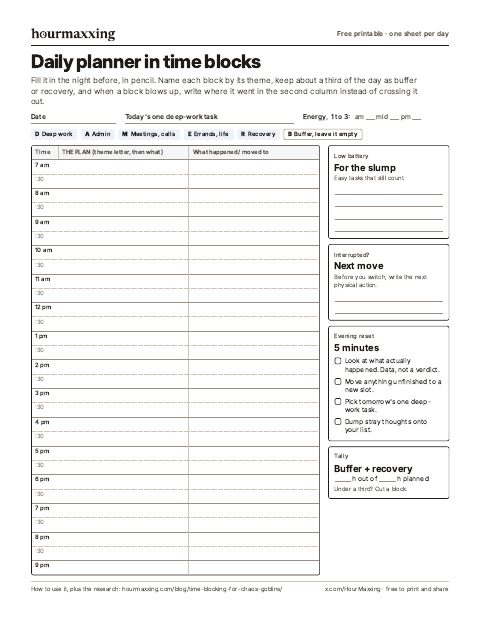
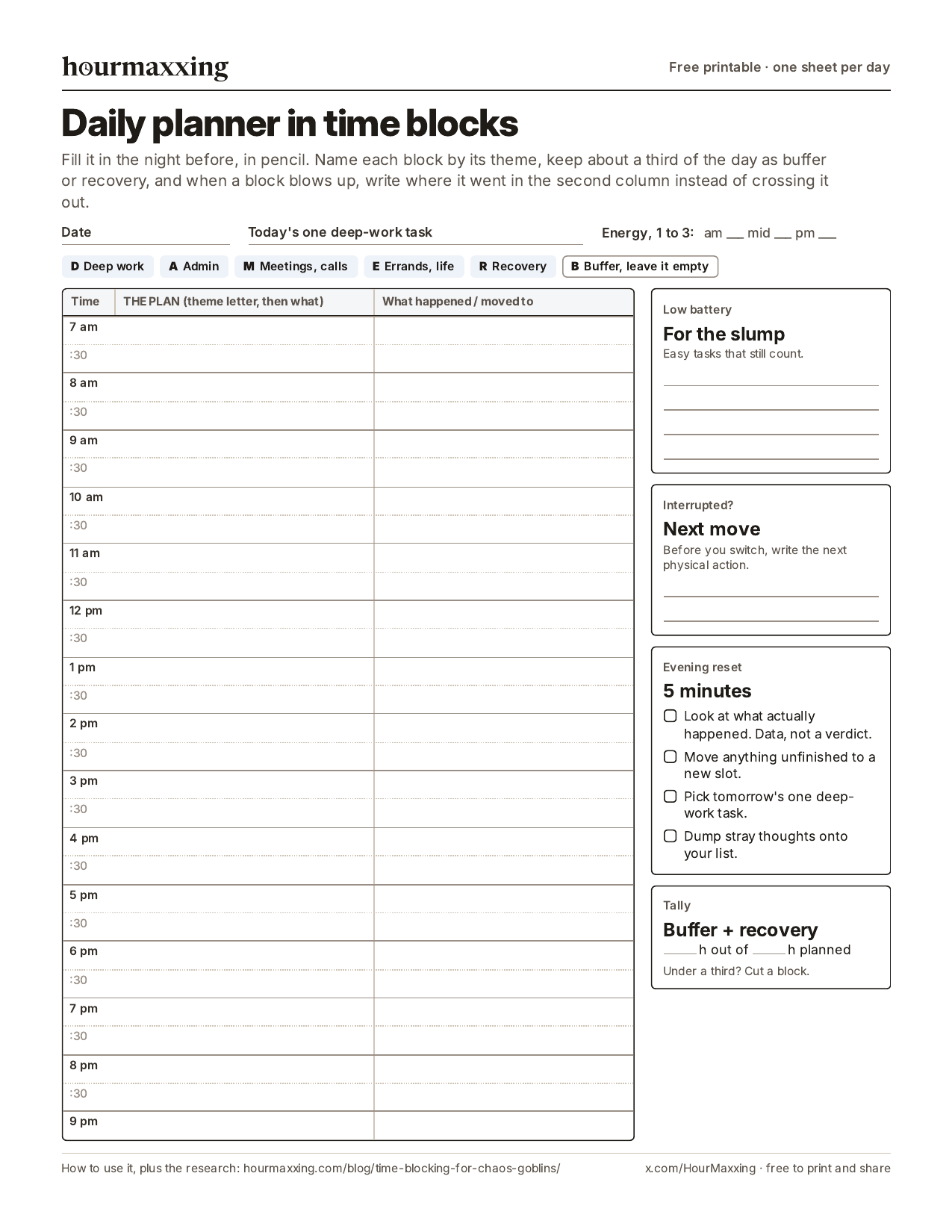
Page 1 runs from 7 am to 9 pm with two lines per hour, and every line has a second column for redrawing the plan, as in Cal Newport’s 2013 notebook layout. That’s where a blown-up block goes when you move it instead of deleting it.
Down the side: the low-battery list, a line for your next move when something interrupts you, the evening reset, and a quick tally of buffer plus recovery.
Page 2 finds your real multiplier. Log a week of guessed versus actual minutes and average the ratio, which is the outside view from how to overcome the planning fallacy, done with your own numbers. Below the log is a lighter day-off version: one anchor with a time, and rough morning, afternoon and evening slots for the rest.
Phone planner? Save the day sheet as an image and draw on it with your photos app’s markup tool.
A free printable ADHD weekly planner (PDF)
This one plans the week, so Thursday’s dentist appointment stops ambushing you. Download the ADHD weekly planner (PDF). Two pages, free, no email.
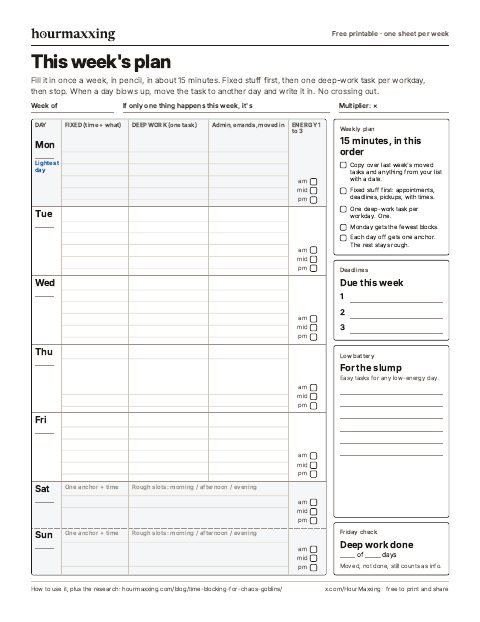
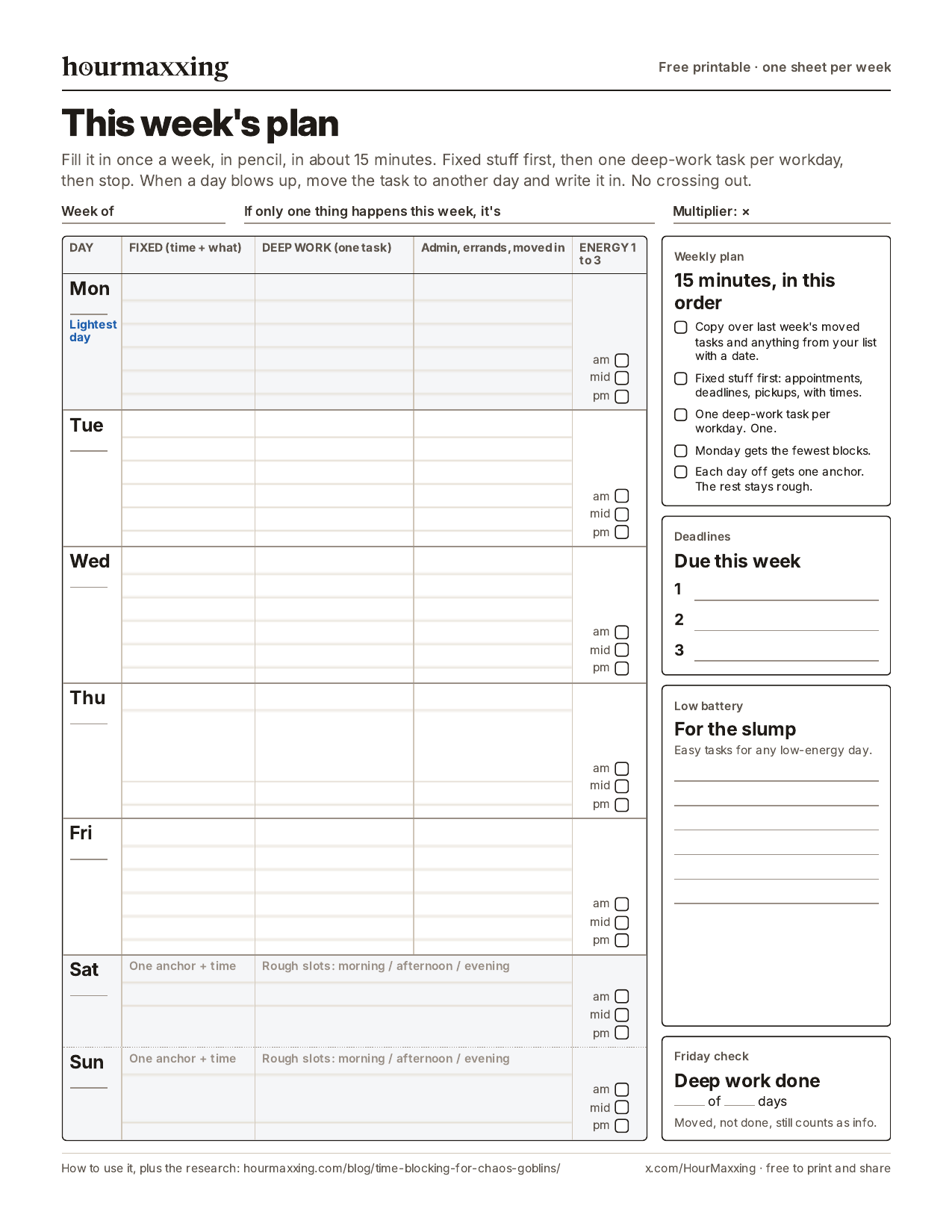
Page 1 is the whole week on one sheet. Each workday gets a row with fixed stuff and its times, one deep-work task, admin and errands, and three small boxes where you rate your energy 1 to 3 in the morning, midday and evening.
That’s the energy map from earlier, built in, so after a few weeks you know when your good window really is. Saturday and Sunday get the day-off version: one anchor with a time, and rough slots for the rest.
Monday is marked as the lightest day on purpose (see failure modes).
Page 2 is the weekly reset, about 15 minutes the night before the week starts. You tick which days the deep work actually happened, list anything you’ve moved three times with a first step of 25 minutes or less (rule 5 again), do a quick brain dump, and pick Monday’s first move before bed. For a longer version with weekly review questions and a 30-minute checklist, see the weekly review guide.
Use it with the daily sheet or instead of it, and copy your multiplier from the estimate log onto the top line. For your phone, save the week as an image and draw on it with your photos app’s markup tool.
Common failure modes
- Over-scheduling Monday. Monday-you is optimistic. Friday-you is real. Plan Monday like it’s Friday.
- Blocking every minute. If there’s no buffer, the first surprise breaks everything.
- Skipping the reset. Without the evening redraft, the calendar drifts out of sync with reality within two days, and you stop trusting it.
- Treating a moved block as failure. It isn’t. Moving blocks is the system working.
Start small: tomorrow, block just one deep-work session and one buffer. Add more once that feels normal.
Sources
- Gollwitzer, P. M., & Sheeran, P. (2006). Implementation intentions and goal achievement: A meta-analysis of effects and processes. Advances in Experimental Social Psychology, 38, 69-119.
- Buehler, R., Griffin, D., & Ross, M. (1994). Exploring the “planning fallacy”: Why people underestimate their task completion times. Journal of Personality and Social Psychology, 67(3), 366-381. doi:10.1037/0022-3514.67.3.366. Study 1: 37 honors students, thesis best guess 33.9 days vs actual 55.5, 29.7% on time, 48.7% by their worst-case date. Study 4: 123 students, recall-plus-connect condition removed the average bias (no gain in accuracy or speed). Study 5: observers overestimated. The Sydney Opera House figures are from its introduction, citing Hall (1980), Great Planning Disasters.
- Kahneman, D., & Tversky, A. (1979). Intuitive prediction: Biases and corrective procedures. TIMS Studies in Management Science, 12, 313-327.
- Kruger, J., & Evans, M. (2004). If you don’t want to be late, enumerate: Unpacking reduces the planning fallacy. Journal of Experimental Social Psychology, 40(5), 586-598. doi:10.1016/j.jesp.2003.11.001. Five experiments; less biased estimates in the two that timed the task (3 and 4); bigger effect for more complex tasks.
- Kahneman, D., & Lovallo, D. (1993). Timid choices and bold forecasts: A cognitive perspective on risk taking. Management Science, 39(1), 17-31. doi:10.1287/mnsc.39.1.17. Inside view vs outside view.
- Coogan, A. N., & McGowan, N. M. (2017). A systematic review of circadian function, chronotype and chronotherapy in attention deficit hyperactivity disorder. ADHD Attention Deficit and Hyperactivity Disorders, 9(3), 129-147.
- Mark, G., González, V. M., & Harris, J. (2005). No task left behind? Examining the nature of fragmented work. Proceedings of the SIGCHI Conference on Human Factors in Computing Systems (CHI ‘05), 321-330.
- Altmann, E. M., Trafton, J. G., & Hambrick, D. Z. (2014). Momentary interruptions can derail the train of thought. Journal of Experimental Psychology: General, 143(1), 215-226.
- Leroy, S., & Glomb, T. M. (2018). Tasks interrupted: How anticipating time pressure on resumption of an interrupted task causes attention residue and low performance on interrupting tasks and how a “ready-to-resume” plan mitigates the effects. Organization Science, 29(3), 380-397.
- Alderson, R. M., Kasper, L. J., Hudec, K. L., & Patros, C. H. G. (2013). Attention-deficit/hyperactivity disorder (ADHD) and working memory in adults: A meta-analytic review. Neuropsychology, 27(3), 287-302.
- Safren, S. A., Sprich, S., Mimiaga, M. J., Surman, C., Knouse, L., Groves, M., & Otto, M. W. (2010). Cognitive behavioral therapy vs relaxation with educational support for medication-treated adults with ADHD and persistent symptoms: A randomized controlled trial. JAMA, 304(8), 875-880. 86 adults; first module trains a calendar and task list system; responders 67% vs 33% on the ADHD rating scale.
- Solanto, M. V., Marks, D. J., Wasserstein, J., Mitchell, K., Abikoff, H., Alvir, J. M. J., & Kofman, M. D. (2010). Efficacy of meta-cognitive therapy for adult ADHD. American Journal of Psychiatry, 167(8), 958-968.
- Aeon, B., Faber, A., & Panaccio, A. (2021). Does time management work? A meta-analysis. PLoS ONE, 16(1), e0245066. 158 studies, non-clinical samples.
- Masicampo, E. J., & Baumeister, R. F. (2011). Consider it done! Plan making can eliminate the cognitive effects of unfulfilled goals. Journal of Personality and Social Psychology, 101(4), 667-683.
- Monsell, S. (2003). Task switching. Trends in Cognitive Sciences, 7(3), 134-140. doi:10.1016/S1364-6613(03)00028-7. Review: responses slower and more error-prone right after a switch; preparation reduces but doesn’t eliminate the cost.
- Kushlev, K., & Dunn, E. W. (2015). Checking email less frequently reduces stress. Computers in Human Behavior, 43, 220-228. doi:10.1016/j.chb.2014.11.005. 124 adults, within-subjects, one week of three checks a day with alerts off vs one week unlimited.
- Steel, P. (2007). The nature of procrastination: A meta-analytic and theoretical review of quintessential self-regulatory failure. Psychological Bulletin, 133(1), 65-94.
- Sirois, F., & Pychyl, T. (2013). Procrastination and the priority of short-term mood regulation: Consequences for future self. Social and Personality Psychology Compass, 7(2), 115-127.
- Webb, T. L., & Sheeran, P. (2006). Does changing behavioral intentions engender behavior change? A meta-analysis of the experimental evidence. Psychological Bulletin, 132(2), 249-268. 47 experiments, intention d = 0.66, behavior d = 0.36.
- Tonietto, G. N., & Malkoc, S. A. (2016). The calendar mindset: Scheduling takes the fun out and puts the work in. Journal of Marketing Research, 53(6), 922-936. 13 studies; rough scheduling without set times removed the effect.
- Tonietto, G. N., Malkoc, S. A., & Nowlis, S. M. (2019). When an hour feels shorter: Future boundary tasks alter consumption by contracting time. Journal of Consumer Research, 45(5), 1085-1102.
- Cirillo, F. (2006). The Pomodoro Technique (paper, version 1.3). Section 3.2 calls the ideal Pomodoro 20 to 35 minutes, 40 at most; section 3.3 sets breaks of 3 to 5 minutes between rounds and 15 to 30 minutes after every set of four. Section 2.2.4: some teams start with “no more than 2-3 Pomodoros actually dedicated to work per day”; section 2.3.1: sample sheet with eight available Pomodoros; section 2.5.3: sets of three or five also work; section 3.7: one uninterrupted Pomodoro is “an excellent result” at first, and reaching “10-12 Pomodoros a day” takes training; section 3.13: shorter sets of three and longer breaks when especially tired. Section 2.1.1: short-break activities (walk around the room, water, daydream, breathing or stretching, a joke) and what to avoid (work talk, important emails, urgent calls); section 2.1.2: long-break activities (tidy the desk, coffee, voicemail, email, rest, a quick walk); section 4.3: “the break really has to be a break.”
- Schwaber, K., & Sutherland, J. (2020). The Scrum Guide (November 2020). scrumguides.org. Sprint Planning “timeboxed to a maximum of eight hours for a one-month Sprint”; Daily Scrum a 15-minute event.
- Zao-Sanders, M. (2018, December 12). How timeboxing works and why it will make you more productive. Harvard Business Review. Defines timeboxing as “migrating to-do lists into calendars”; cites a survey ranking it the most useful of 100 productivity hacks.
- Ariely, D., & Wertenbroch, K. (2002). Procrastination, deadlines, and performance: Self-control by precommitment. Psychological Science, 13(3), 219-224. doi:10.1111/1467-9280.00441. Retracted by the journal in September 2026 (Crossref retraction notice); kept here only so readers can see why we no longer rely on it.
- Newport, C. (2016). Deep Work. Source of the popular time-blocking method this guide loosens up.
- Newport, C. (2013, December 21). Deep habits: The importance of planning every minute of your work day. Study Hacks (calnewport.com). Describes time blocking: 10 to 20 minutes each evening, two lines per hour, room left beside the blocks for corrections.
- Microsoft Support. Create or schedule an appointment; Assign a color category to a calendar event in Outlook; Add or delete notifications or reminders in Outlook; Use Microsoft Viva Insights in Outlook (Book time to focus); Focus plan for Viva Insights. support.microsoft.com, checked October 2026.
These are strategies, not treatment. Time blindness is a real ADHD trait; if it’s wrecking your work or relationships, a clinician or ADHD coach can help.
Want one more of these each week?
This one needs zero calendar blocks. One technique a week, the study behind it, and a low-energy version. Free, about a 3-minute read, unsubscribe anytime.
We use your address only to send the email, and you can unsubscribe in one click.
FAQ
What is time blocking?
Time blocking means giving your tasks appointments on a calendar, so "write the report" becomes "10:00 to 11:30, report." The version most articles describe comes from Cal Newport, who wrote it up on his blog in 2013: every evening he planned the next workday as blocks on a notebook page and left room beside them to redraw the plan when the day changed. Timeboxing is a close relative. A time block reserves when you'll work on something, and a timebox caps how long you'll spend before you stop. With ADHD, the version that holds up uses theme blocks, about 30% unscheduled time, and moving blocks instead of deleting them.
Does time blocking work for ADHD?
Probably, if the blocks can bend. No trial has tested time blocking by itself in adults with ADHD, but the adult ADHD therapies with the best evidence teach calendar use early. In Safren et al.'s 2010 JAMA trial of 86 adults already on medication, cognitive behavioral therapy that opened with four sessions on a calendar and task list system had 67% responders, compared with 33% for relaxation with education. In the general population, time management correlates moderately with job performance and more strongly with life satisfaction (Aeon, Faber, & Panaccio, 2021; 158 studies, mostly one-time surveys). Rigid plans where every minute is spoken for are the version that tends to fail.
Should I use time blocking or a to-do list?
Both. Keep one list for everything you might do, and give calendar blocks only to the few tasks you're committing to today or tomorrow, plus anything with a date. A block also helps you stop thinking about a task until its time comes: Masicampo and Baumeister (2011) found that making a specific plan for an unfinished goal removed the intrusive thoughts and the hit to unrelated work that the unfinished goal otherwise caused.
Time blocking vs Pomodoro: which should I use?
Both, because they answer different questions. A time block puts the task on your calendar at a set time, like 10:00 to 11:30 for the report. Pomodoro is a timer you run once you're inside that block, classically 25 minutes of work and a 5-minute break. A 90-minute deep work block holds three 25-minute rounds with two short breaks and five minutes left over.
What's the difference between time blocking and timeboxing?
Time blocking decides when you'll work on something by putting it on your calendar, like 10:00 to 11:30 for the report. Timeboxing, the way software teams use it, caps how long something gets before it stops, done or not: the Scrum Guide timeboxes Sprint Planning to a maximum of eight hours for a one-month Sprint. Some writers, including Marc Zao-Sanders in a 2018 Harvard Business Review article, use timeboxing to mean putting your to-do list into your calendar, which is why many posts call them the same thing. Use blocks for when and boxes for how much.
Time blocking vs task batching: what's the difference?
Time blocking decides when you'll work on something by putting it on the calendar. Task batching decides what goes together, grouping small similar jobs like emails, calls, bills and errands into one sitting so they share one warm-up. They work together: a 30-minute Admin block is a batch with a time on it. Task switching research finds people are slower and make more mistakes right after a switch (Monsell, 2003), and in one field study, 124 adults who checked email three times a day with alerts off reported less daily stress than in a week of unlimited checking (Kushlev & Dunn, 2015). Batch the boring tasks, not the deep work, keep notifications off between batches, and put a timer on the batch.
Is there a free time blocking template?
Yes, there's one in this guide you can copy into a notes app, plus a free CSV version that opens in Excel, Numbers, and Google Sheets (File, then Import). It runs in ten lines: a short landing block where you pick the day's one deep-work task, the deep-work block itself, an admin batch, recovery, a second focus block or meetings, errands, two empty buffers, a 5-minute evening reset, and a low-battery list for the slump. Keep buffer plus recovery at roughly a third of the day, and multiply each time estimate by 1.5.
Is there a free printable ADHD daily planner?
Yes. We made a free two-page PDF for this guide, no email needed: hourmaxxing.com/printables/adhd-daily-planner.pdf. Page 1 is a time-blocked day sheet from 7 am to 9 pm with two lines per hour and a second column for where a block moved, plus a low-battery list, a line for your next move when you get interrupted, the evening reset and a buffer tally. Page 2 is a one-week estimate log for finding your own time multiplier and a lighter day-off plan with one anchor task. There's also an image of the day sheet for your phone.
Is there a free printable ADHD weekly planner?
Yes. There's a free two-page PDF with this guide, no email needed: hourmaxxing.com/printables/adhd-weekly-planner.pdf. Page 1 fits the whole week on one sheet. Each workday gets a row for fixed appointments, one deep-work task, admin and errands, and three energy boxes you rate 1 to 3, and Saturday and Sunday get one anchor plus rough slots. Monday is marked as the lightest day. Page 2 is a 15-minute weekly reset: look back at which days the deep work happened, give anything you've moved three times a first step under 25 minutes, clear the decks, and pick Monday's first move. There's also an image of page 1 for your phone.
How do I time block on Google Calendar?
Switch to Week view, click and drag to create an event named by theme (Admin, Deep work), give each theme one color, add two notifications (5 minutes before and at 0 minutes), and set routine blocks like a morning landing and an evening reset to repeat on weekdays. Some Google Workspace work and school plans have a Focus time event that can mute Chat and decline meetings automatically. When a block gets bumped, drag it to the next open slot so the task stays visible.
How do I time block in Outlook?
In Week or Work week view, drag across an open slot to make an event named by theme (Admin, Deep work), set Show as to Busy, give each theme a color with Categorize, and make routine blocks recurring. Outlook allows one pop-up reminder per event, 15 minutes before by default, so change it to 5 or 0 minutes if you want it to work as a start alarm. On work accounts with Viva Insights, Book time to focus suggests open slots, can book them all at once, and can quiet Teams notifications during them. When a block gets bumped, drag it to the next open slot.
What is the planning fallacy?
It's the habit of underestimating how long your own tasks will take, even when you know similar tasks ran over before. Kahneman and Tversky named it in 1979. In the best-known example, Buehler, Griffin and Ross (1994) asked 37 honors students when they'd finish their thesis: the best guesses averaged 33.9 days and the real average was 55.5, and only 29.7% finished by their own guess. A famous large-scale case is the Sydney Opera House, estimated in 1957 at $7 million and early 1963, and opened in scaled-down form in 1973 at $102 million.
New here? Start with the reading order → Rather use paper? Grab a free printable.